The AI-powered editorial system for magazines, newspapers and books. Writing, editing, page layout, print, web and social media – all in one browser tab.
Each module works on its own; together they carry a story from the writer’s desk to the press, the website and social media.
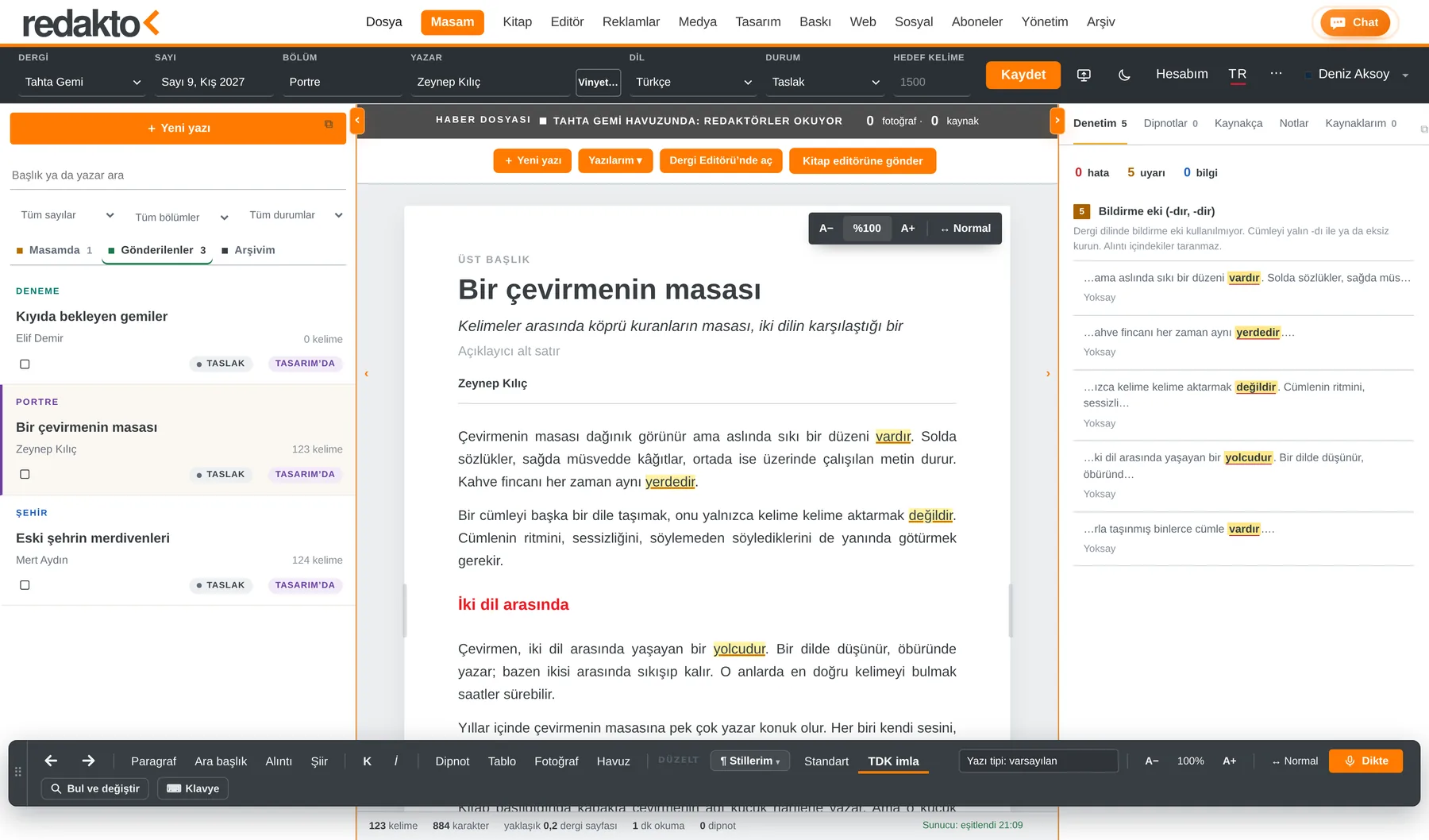
The writer’s desk. Write, revise, send to the editors. The approval flow is always visible.
Write your book – chapters, running heads, imprint and cover set themselves. Print-ready PDF, Word or EPUB for Amazon KDP.
Instagram carousels from your stories; posting plan and calendar on one screen.
Stories go live on your website at the same time; the whole issue as a page-flip e-magazine.
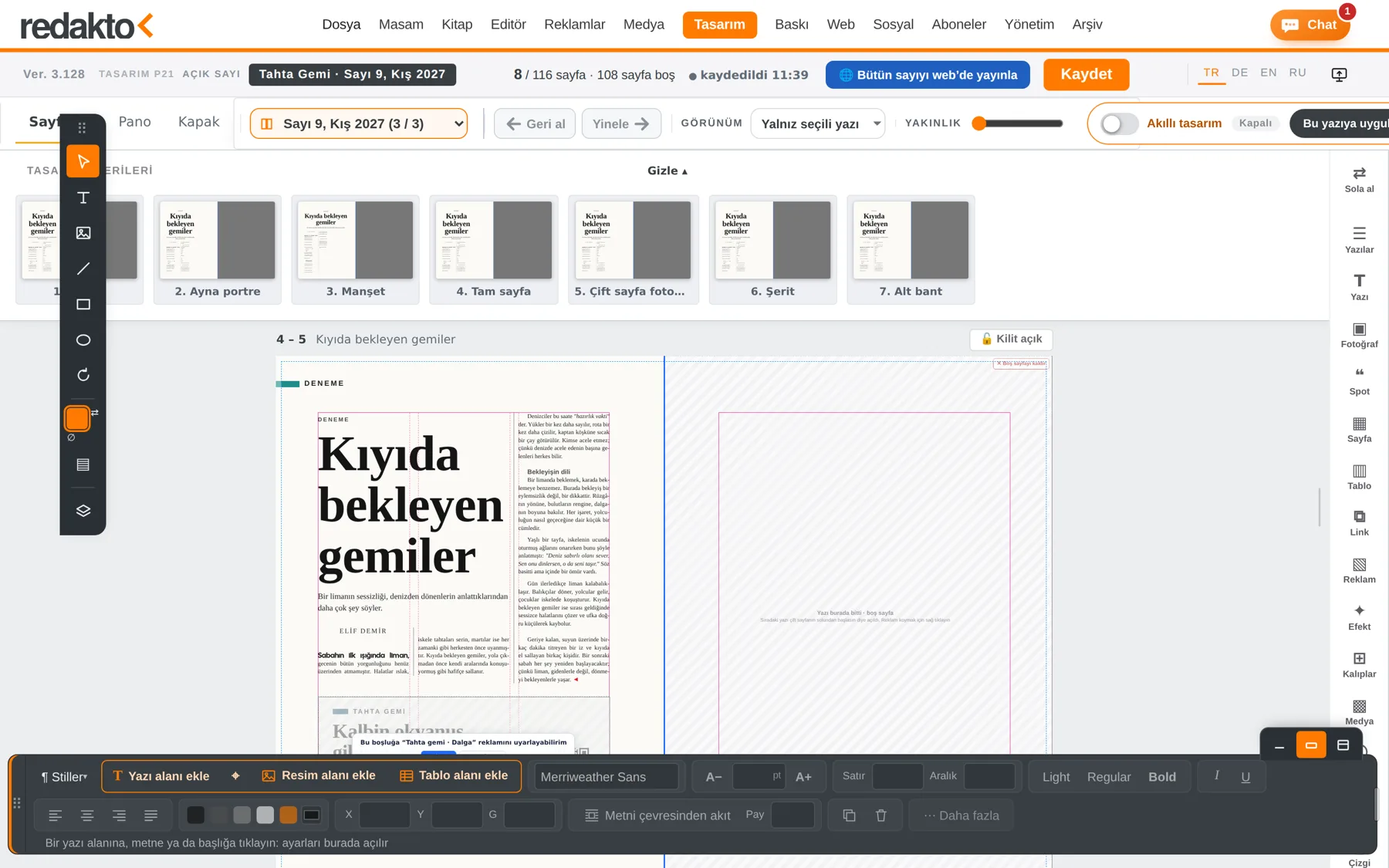
Smart layout sets the pages itself; layers, grid, colour and drawing tools in the browser.
Ads know their page and fit the space. Client ads are ready in minutes.
Subscribers, distribution lists and mailing labels in one click.
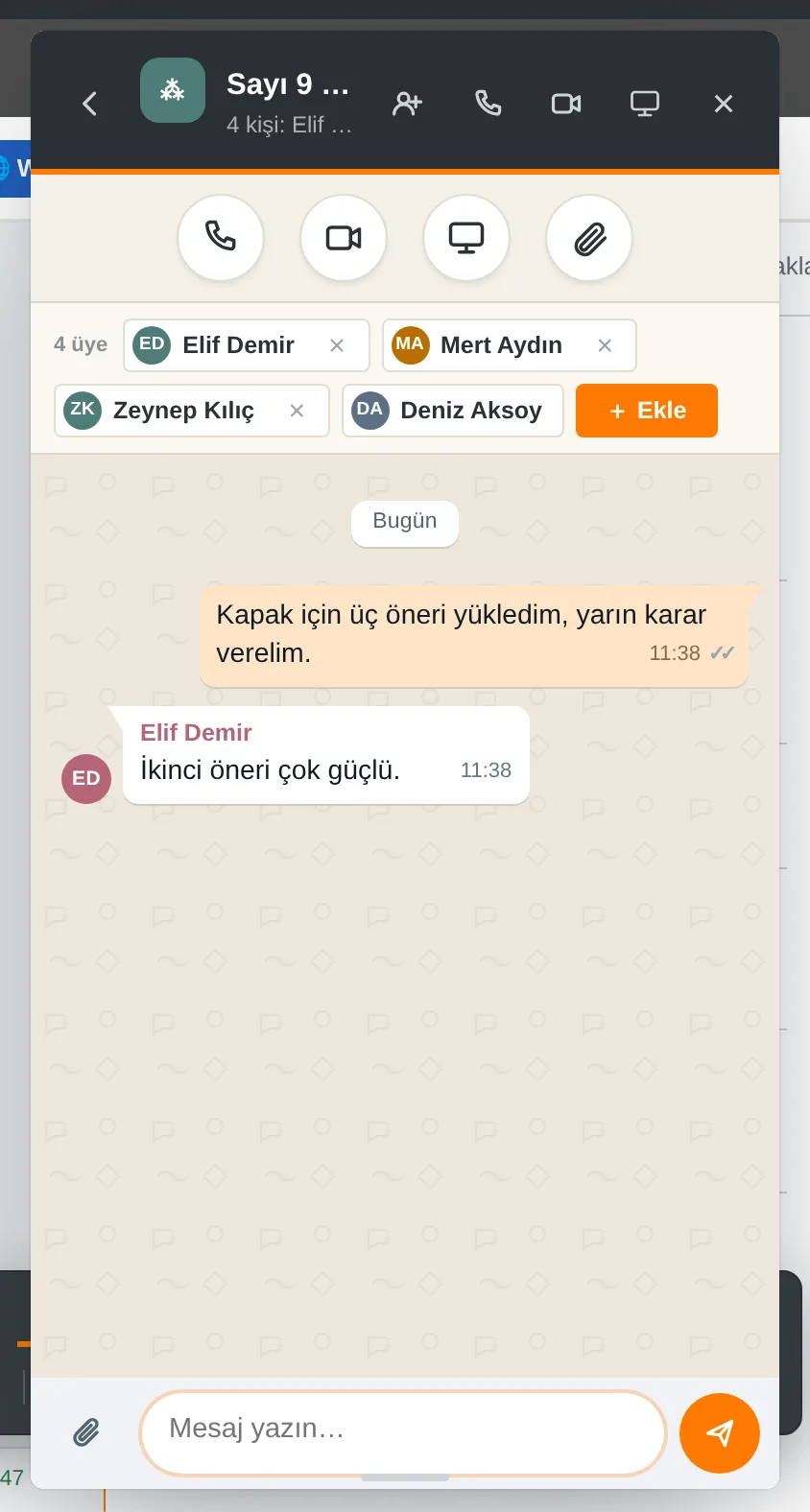
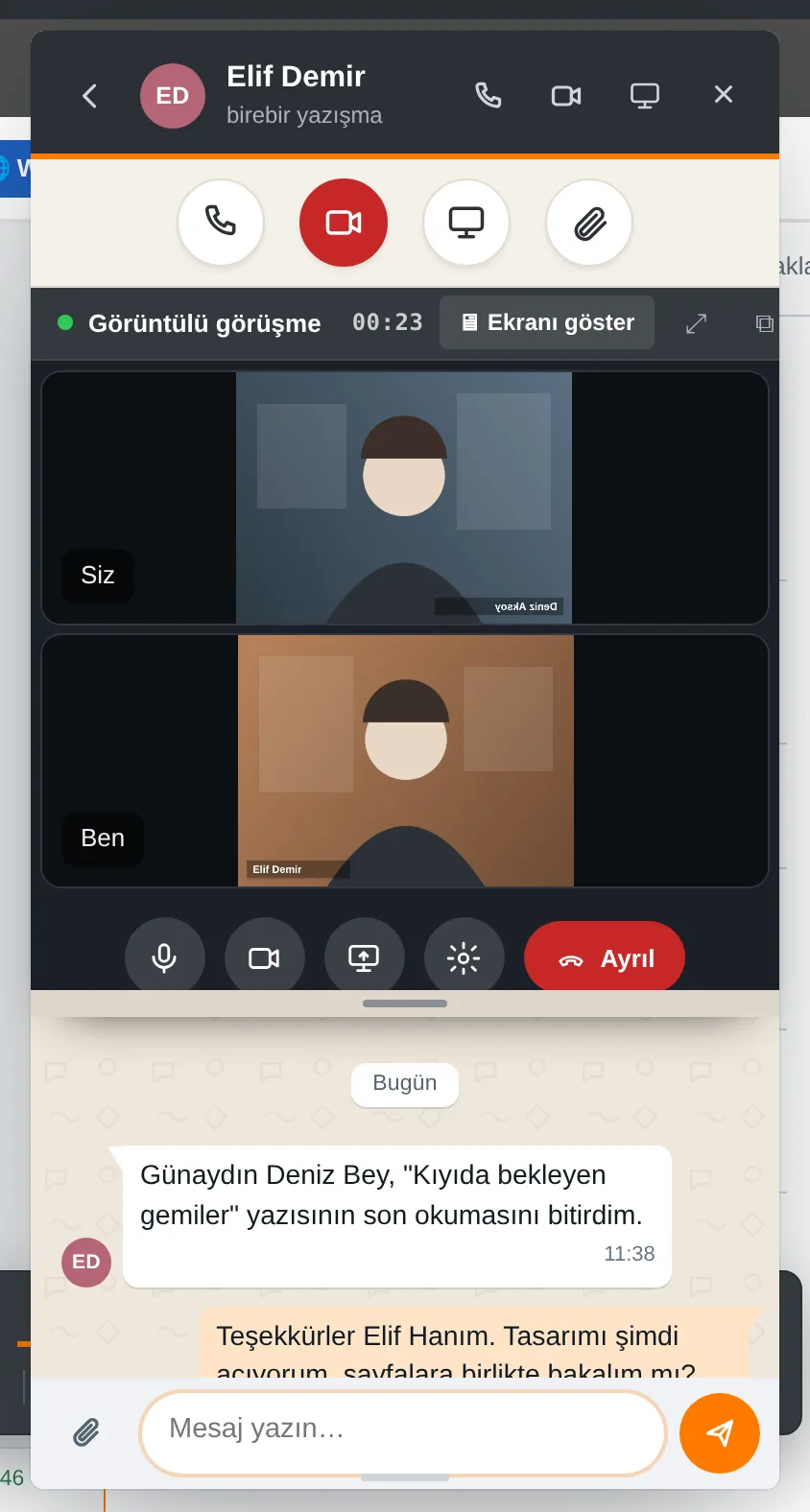
Team chat, voice and video calls, screen sharing. Open to your team only.
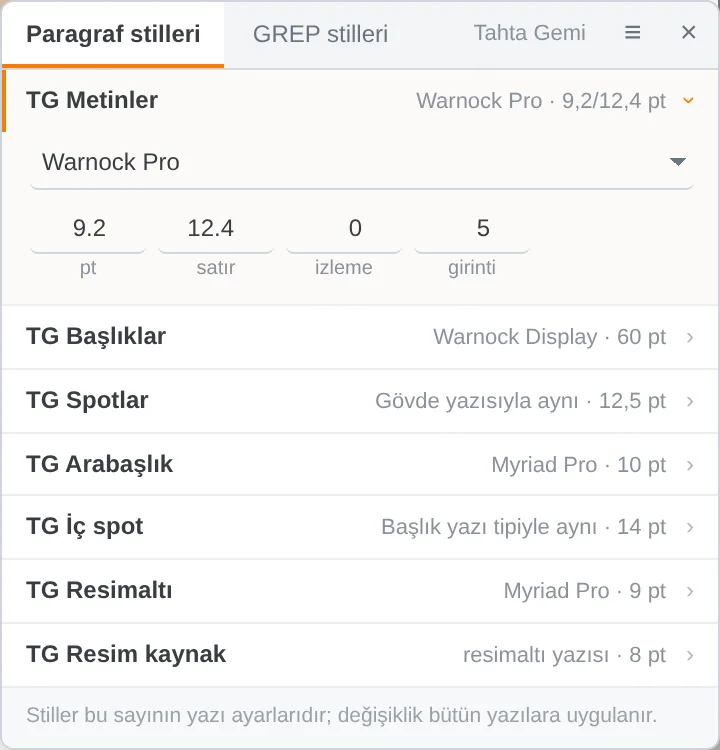
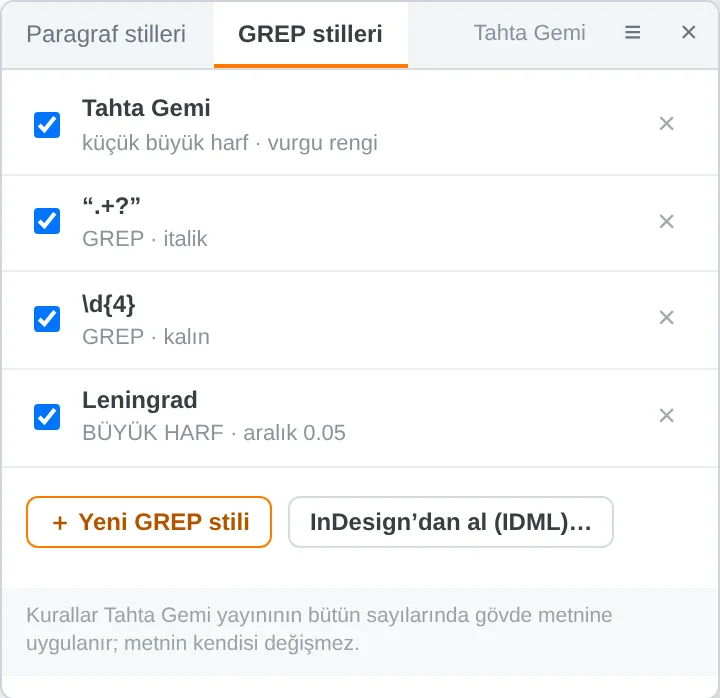
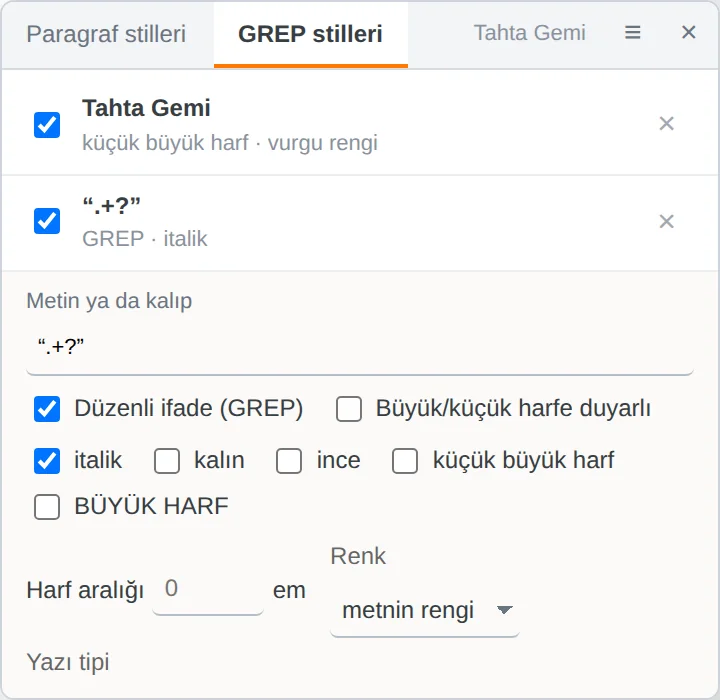
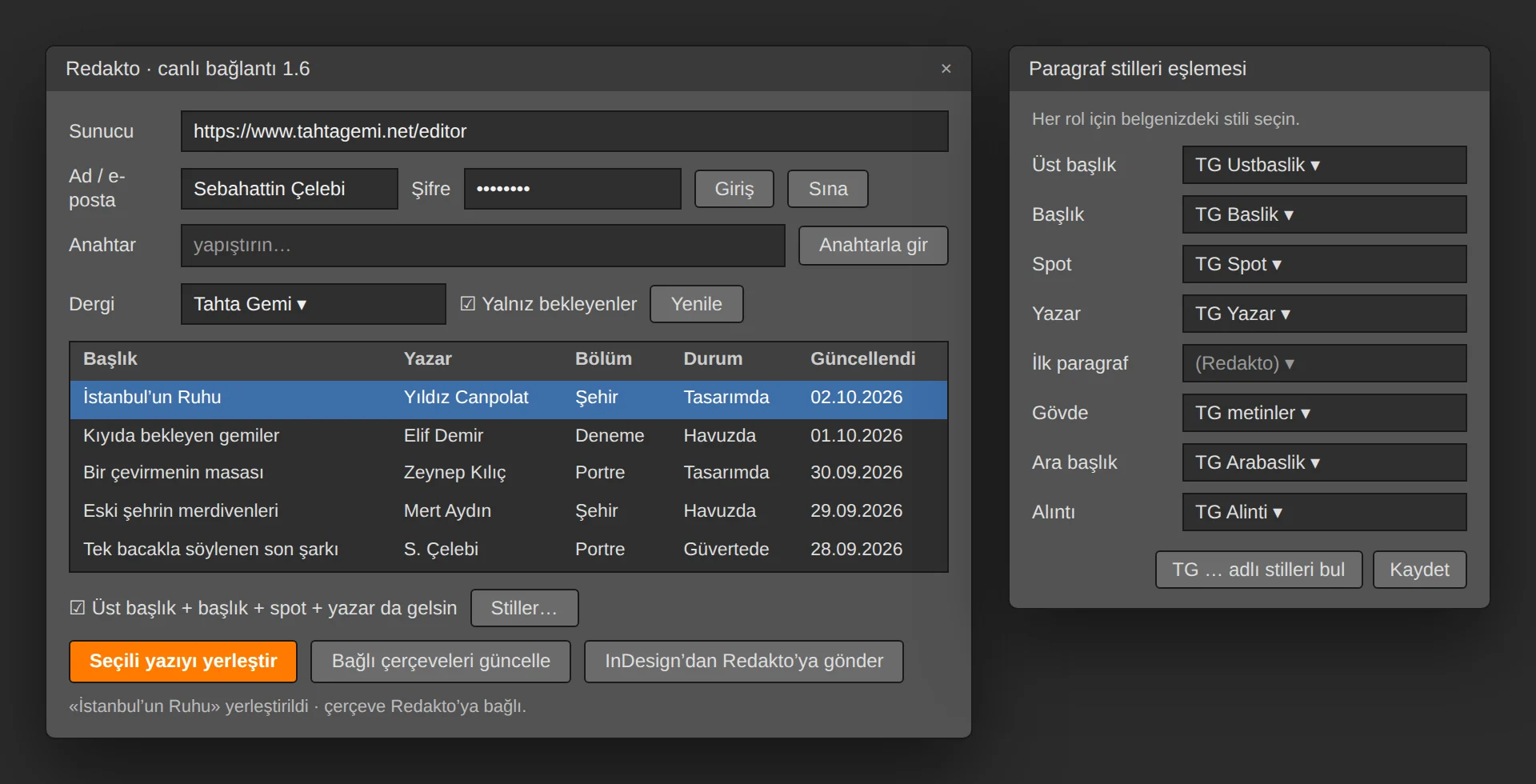
For clients who prefer to lay out in InDesign: articles from Redakto land on the page from a panel inside InDesign with one click; corrections made in InDesign go back to Redakto with one click. Your paragraph styles stay exactly as they are.

Sign in with your password (or a key issued by Redakto) and every article in the system is listed inside InDesign: title, author, section, status, last update. Filter by magazine and “pending only”.
Pick the article, click the frame: kicker, title, standfirst, byline and body arrive in your paragraph styles. Subheads, quotes, italics and bold are preserved.
The styles in your document (e.g. TG Title, TG Body) are mapped to roles; text always arrives in your styles. Nothing to define, nothing to reformat.
When the article changes in Redakto, “Update” refreshes the page. Corrections made in InDesign go back with “Send to Redakto”; the previous state stays in Redakto’s version history, and the panel warns about conflicts.
A single script file; no extra software on Mac or Windows. Works in every InDesign from CS6 to 2026. Nothing changes on the server.
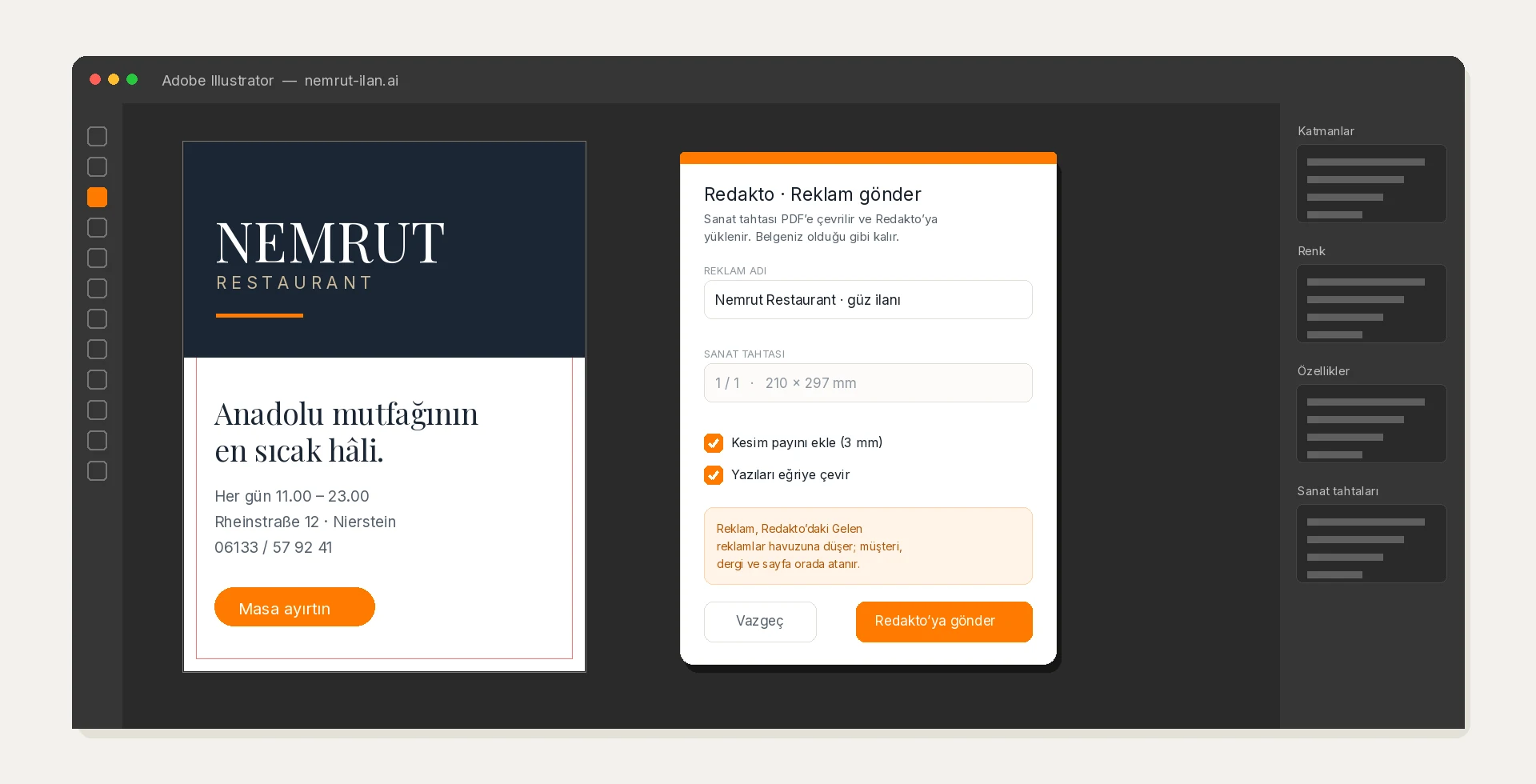
The moment an ad is finished in Illustrator, the file no longer has to be passed around by hand: the script turns the artboard into a PDF and uploads it to Redakto. The ad first lands in the incoming pool; customer, publication, issue and page are assigned there. A half-labelled file never enters the library.


The selected artboard is converted to PDF including bleed, with type optionally outlined. Your document is neither closed nor saved — the script only makes a copy.
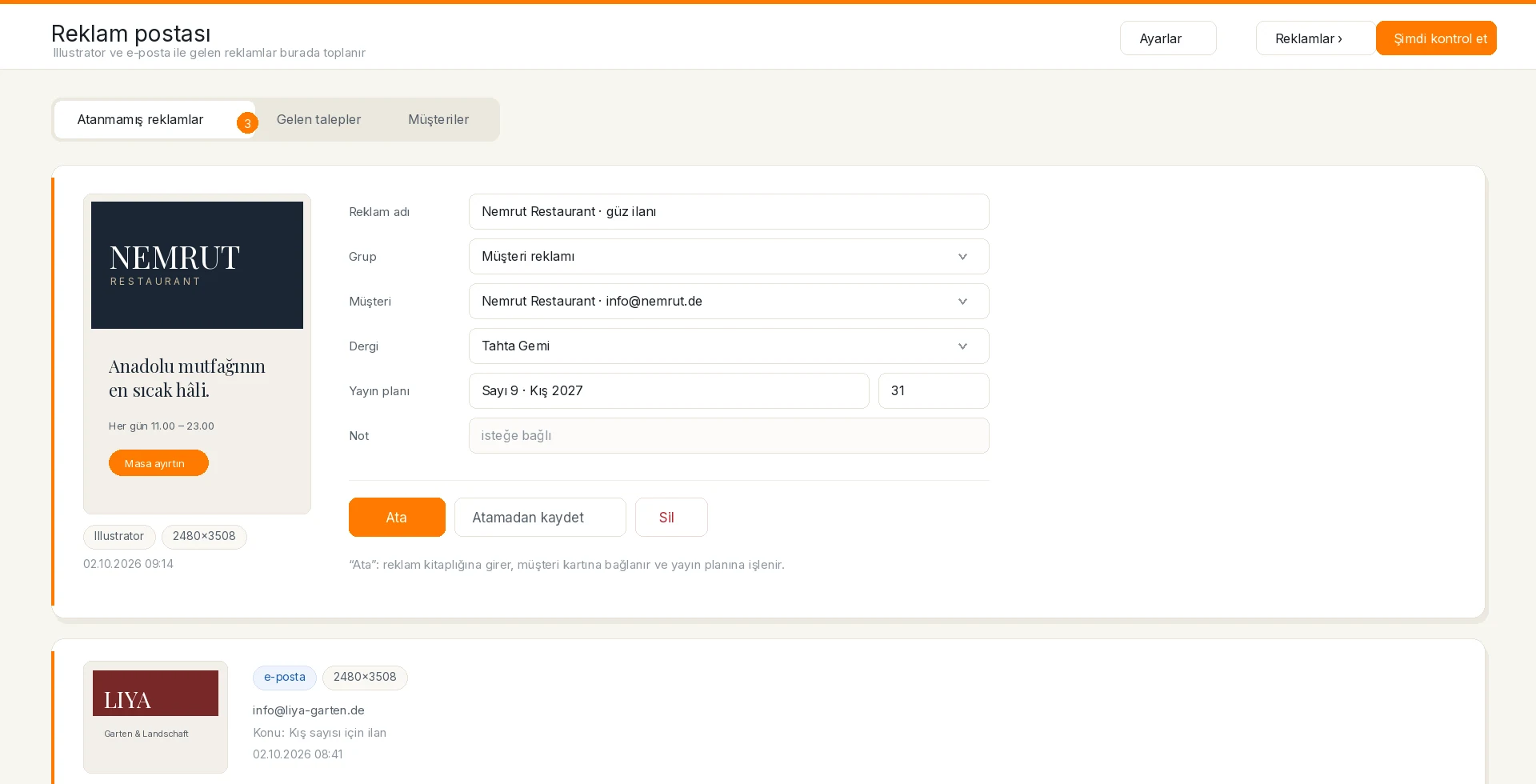
An uploaded ad does not go straight into the library; it waits unassigned in the pool. The designer need not know the client name, the issue or the page — their job ends with sending.
In the pool you open the ad, pick a customer card or create one, and enter publication, issue and page. The ad is linked to that card and written into Customers and schedule. When the layout opens the issue, the ad is already in place.
The anzeigen@ and reklam@ mailboxes are read regularly; attached images arrive as ads, PDFs as 300 dpi pages, all in the same pool. If the sender address matches a customer card, that card is suggested — the decision stays yours.
A single script file; no plug-in, no extra software, no server change. Works on macOS and Windows with current Illustrator versions.
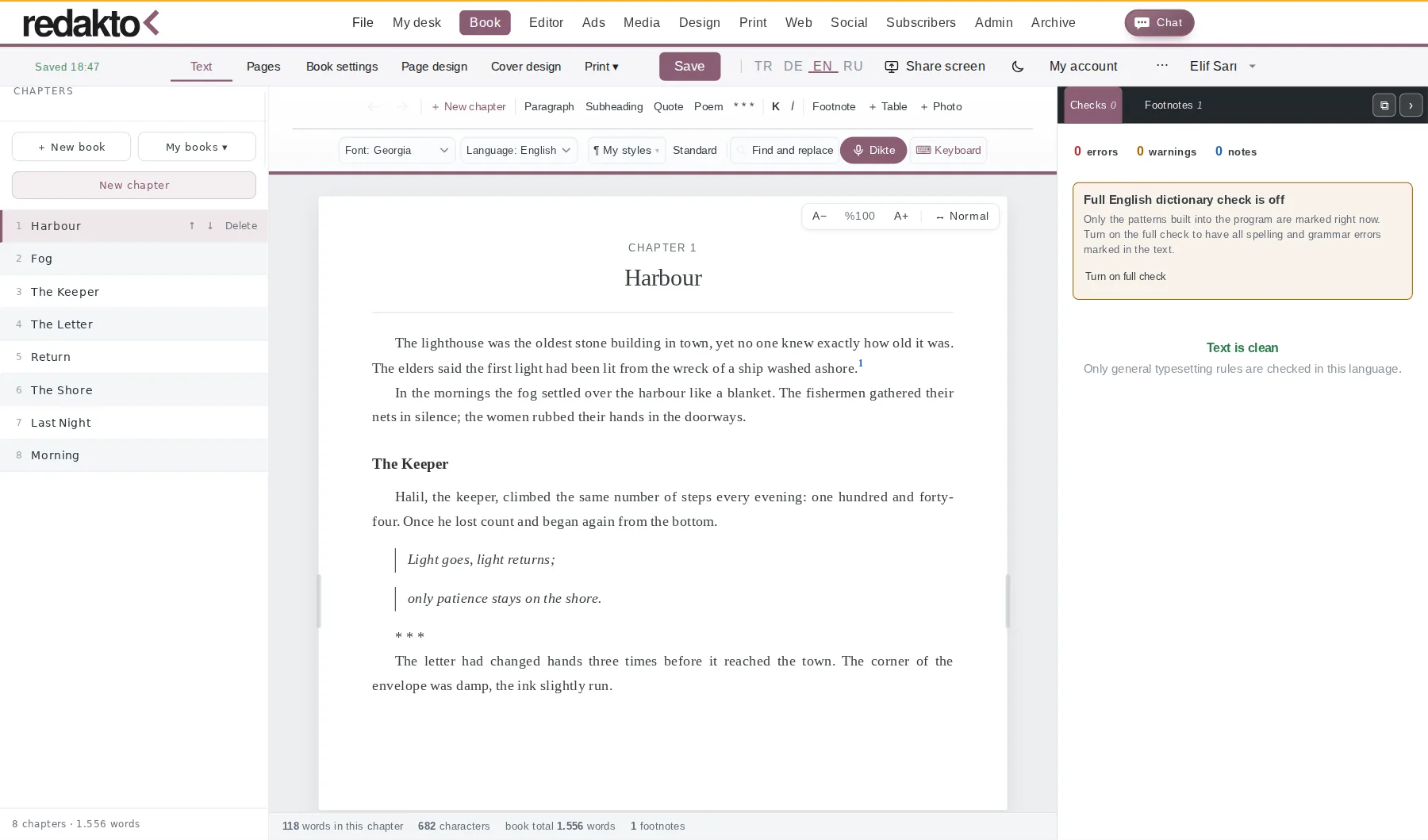
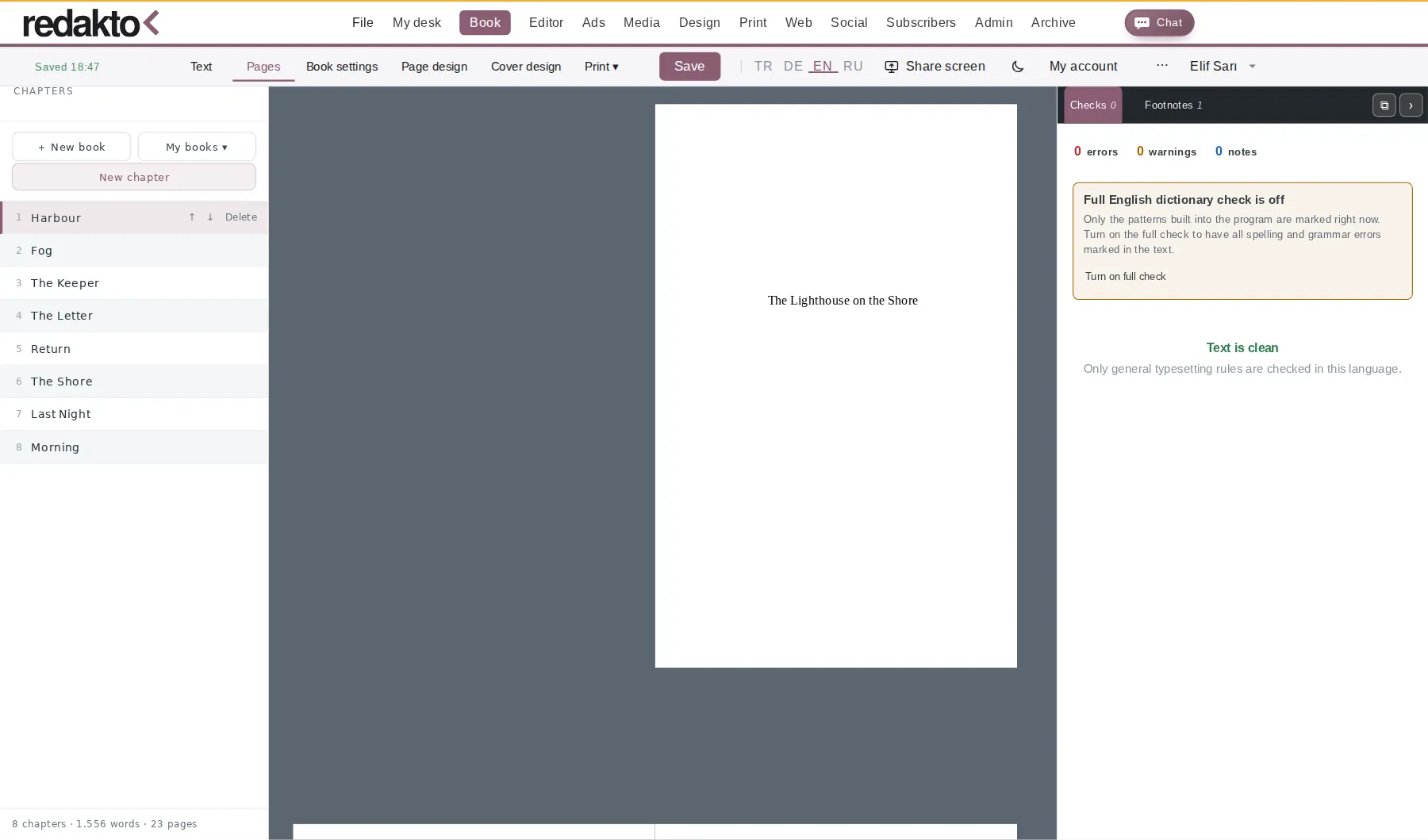
The Book Editor brings the whole journey of a book into the browser: chapters stay fixed on the left, the text flows as you write, and the real page is one click away; the program sets the cover, imprint, contents and page numbers. When you are done, one menu gives you a print-ready PDF, Word, or an EPUB for Amazon KDP. Free with every membership.


Writing
Chapters stay on the left in every view: reorder, delete, add a new chapter. “My books ▾” switches between all your books; each is stored separately and never mixed.
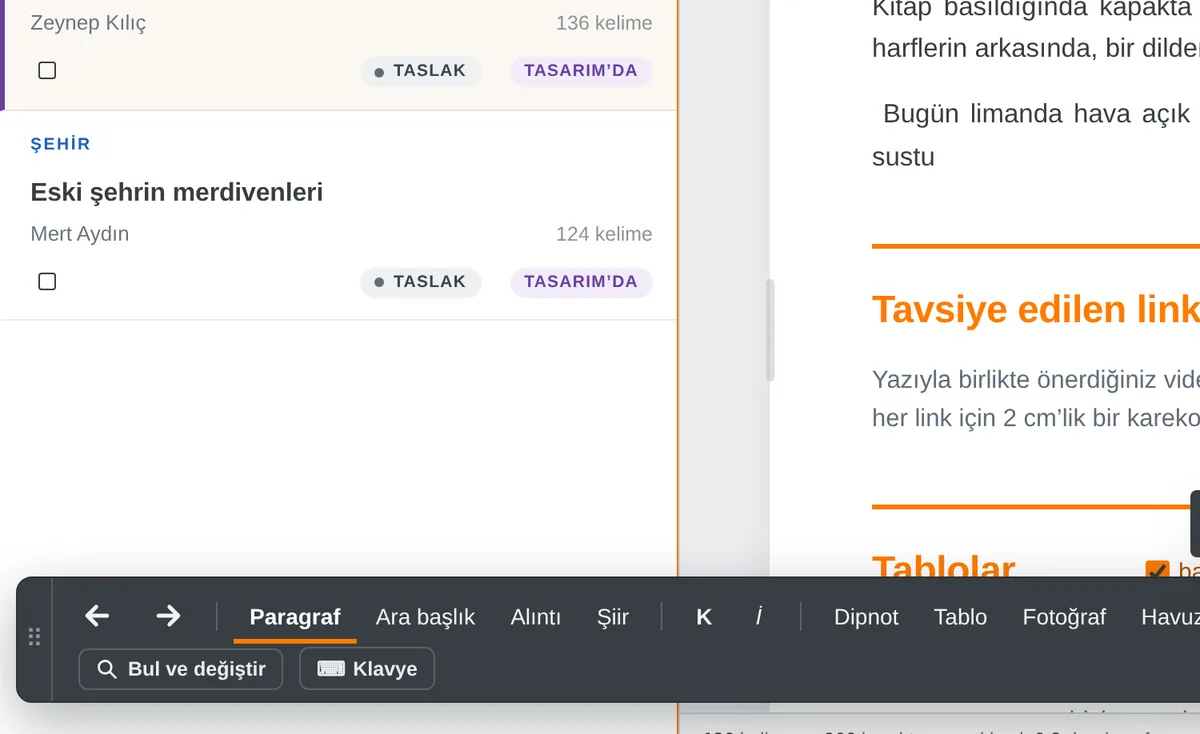
Paragraph, subheading, quote, poem, divider, bold, italic, footnote, table and photo; typeface, language, personal styles, find and replace, dictation, on-screen keyboard. Two rows, fixed, and laid out the same in every interface language.
Dictation also works on the phone; an on-screen keyboard covers Cyrillic, Arabic and Hebrew letters. When you stop, Redakto offers punctuation and paragraph breaks with one click; the words stay unchanged.
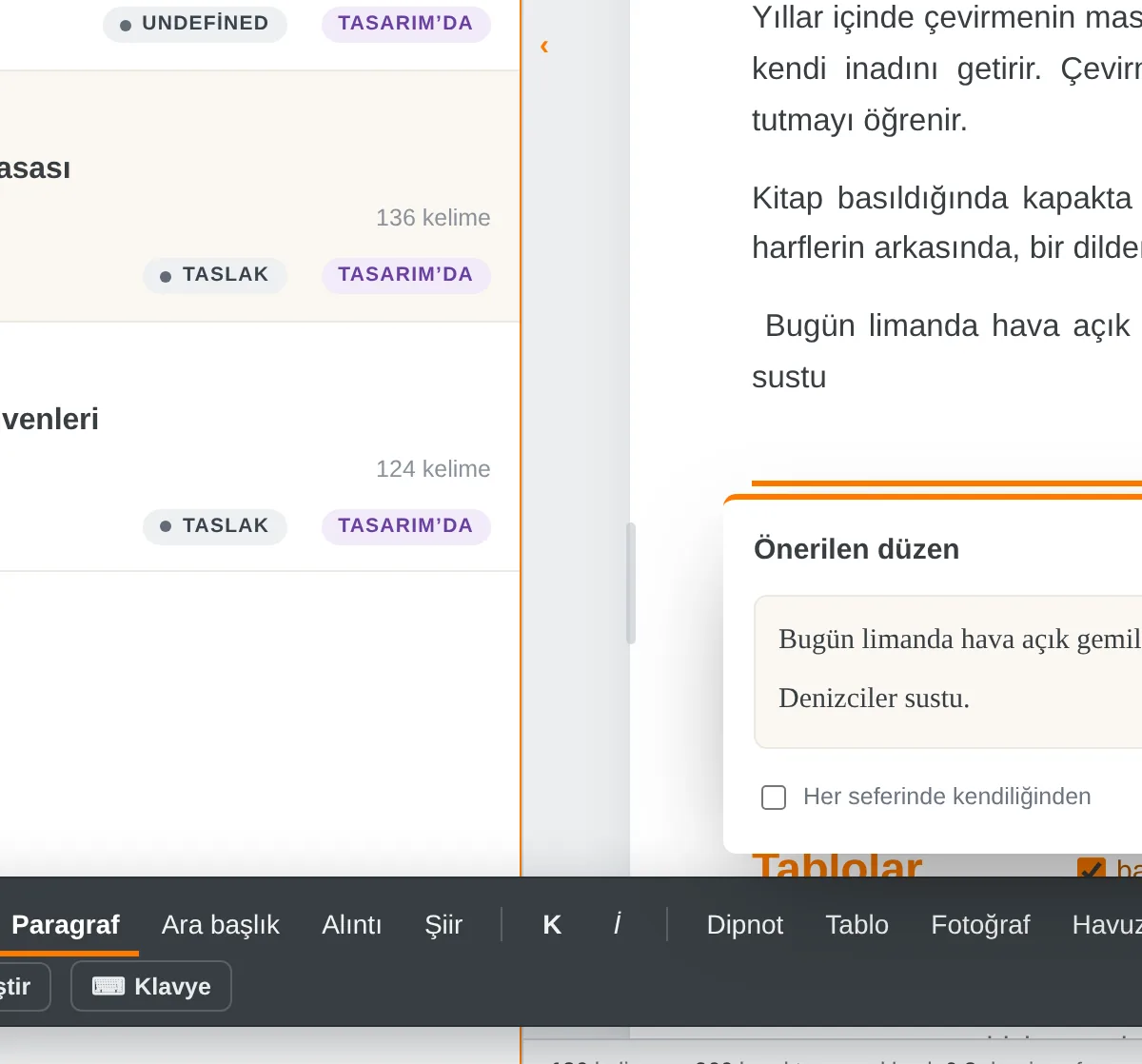
TDK, Duden and English spelling; checks for repeated words, long dashes and quotation marks. “Standard” fixes quotes, italics and spaces in one pass. Findings are marked in the text and explained in the Checks panel.
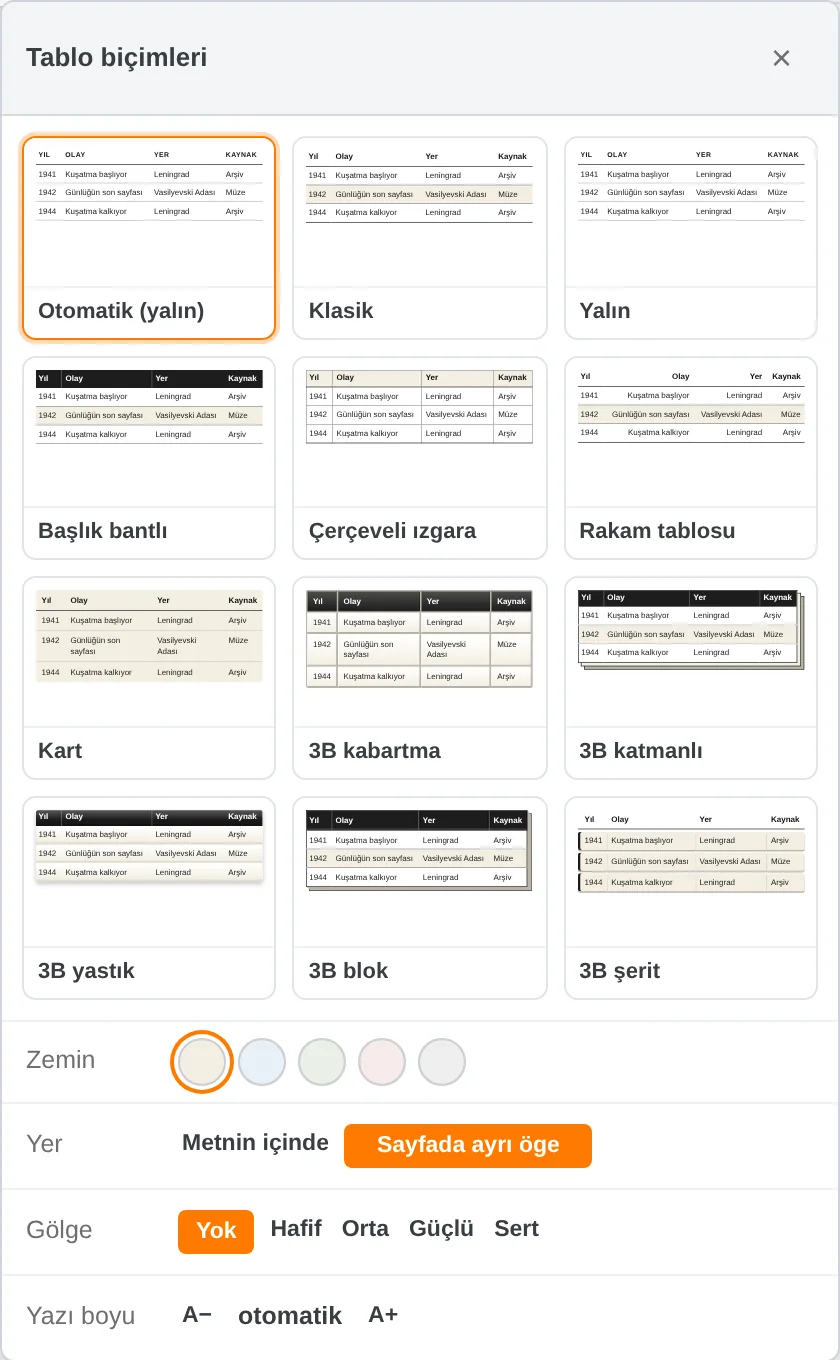
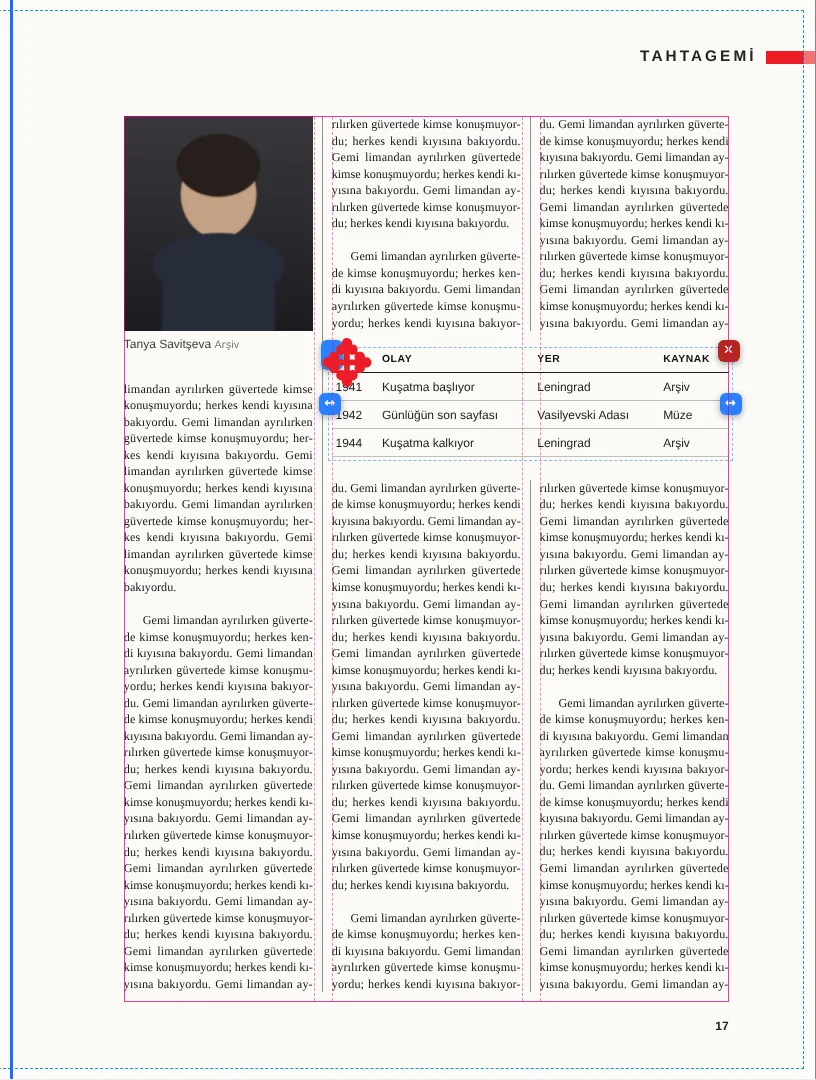
Footnotes are numbered automatically and collected at the end of the chapter; tables, captioned photos and poem blocks fit the book page.
It saves as you type. Version history, a backup folder on your computer, a backup file (.json) and chapter import from Word keep everything safe.
Page, cover and output
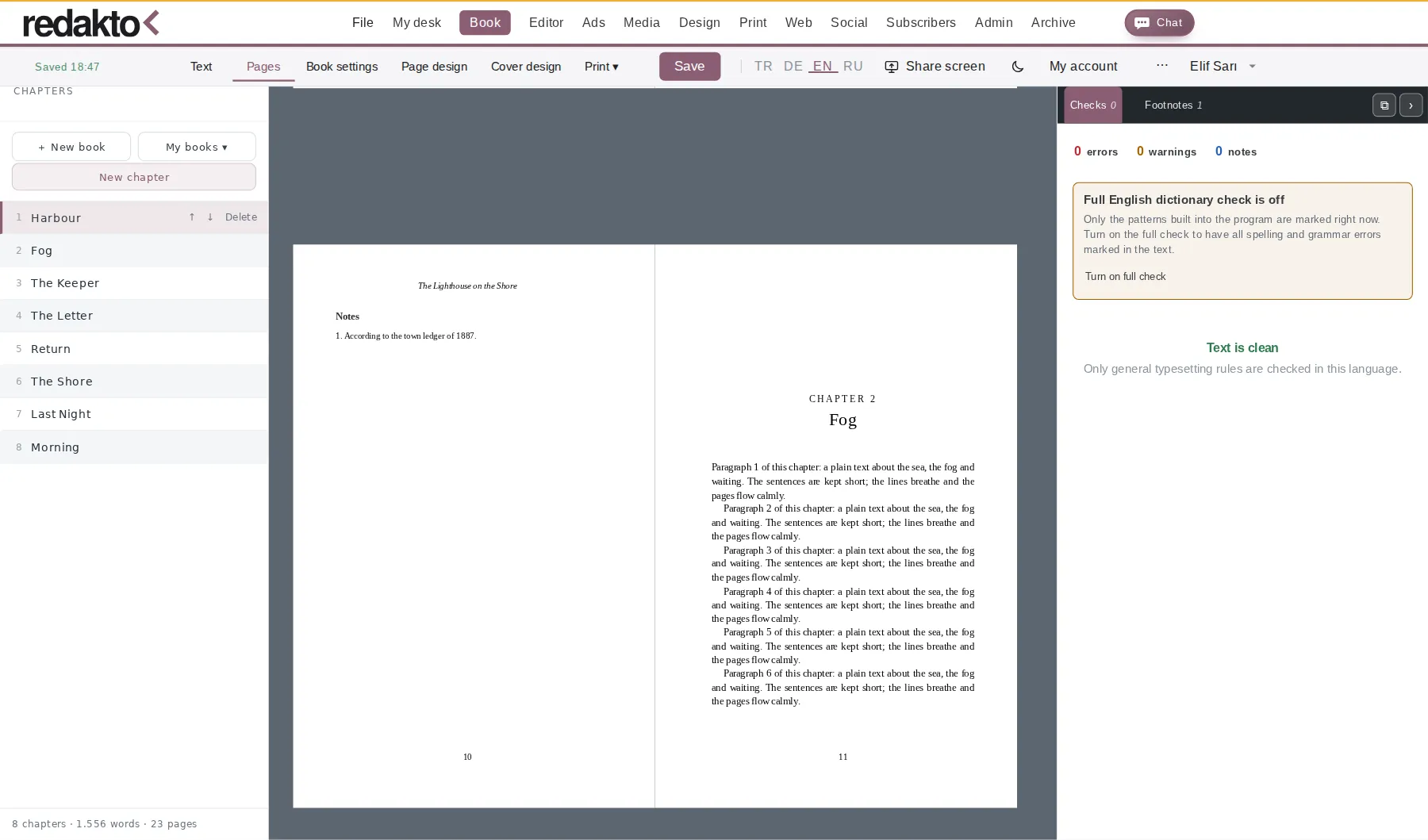
Page view lays the book out page by page: running heads, page numbers, chapter openings and hyphenation for Turkish, German and English. Facing pages or single; proofing marks show on the page too, but never in print.
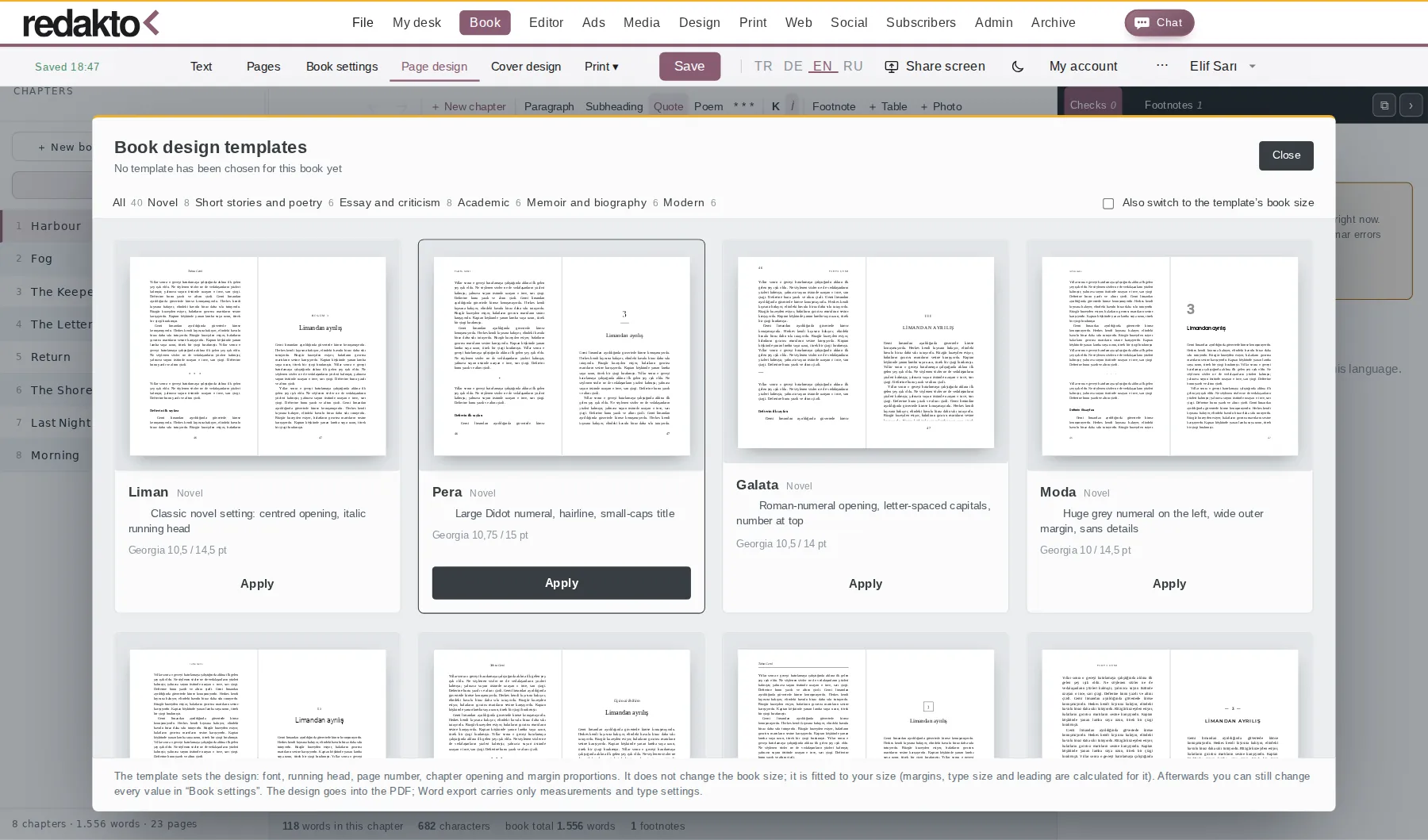
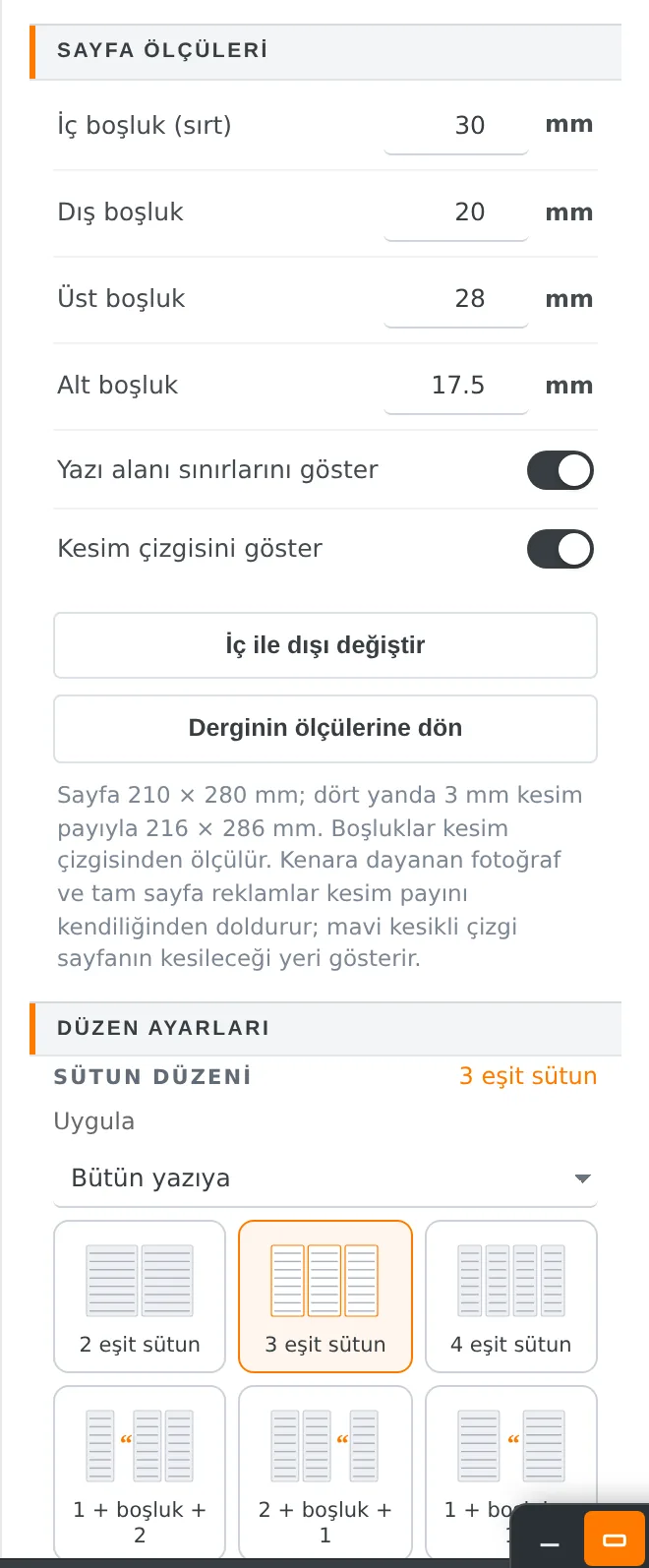
Novel, story and poetry, essay, academic, memoir and biography, modern: pick a design and the typeface, margins and numbering follow. Ten book typefaces; the book size (e.g. 13.5 × 21 cm) can also be set by hand.
More than a hundred ready covers, your own photo, spine width calculated from the page count, back-cover text. The cover is output with front, spine and back as a print PDF.
Imprint, dedication and contents are built from your entries; page numbers update as the book changes.
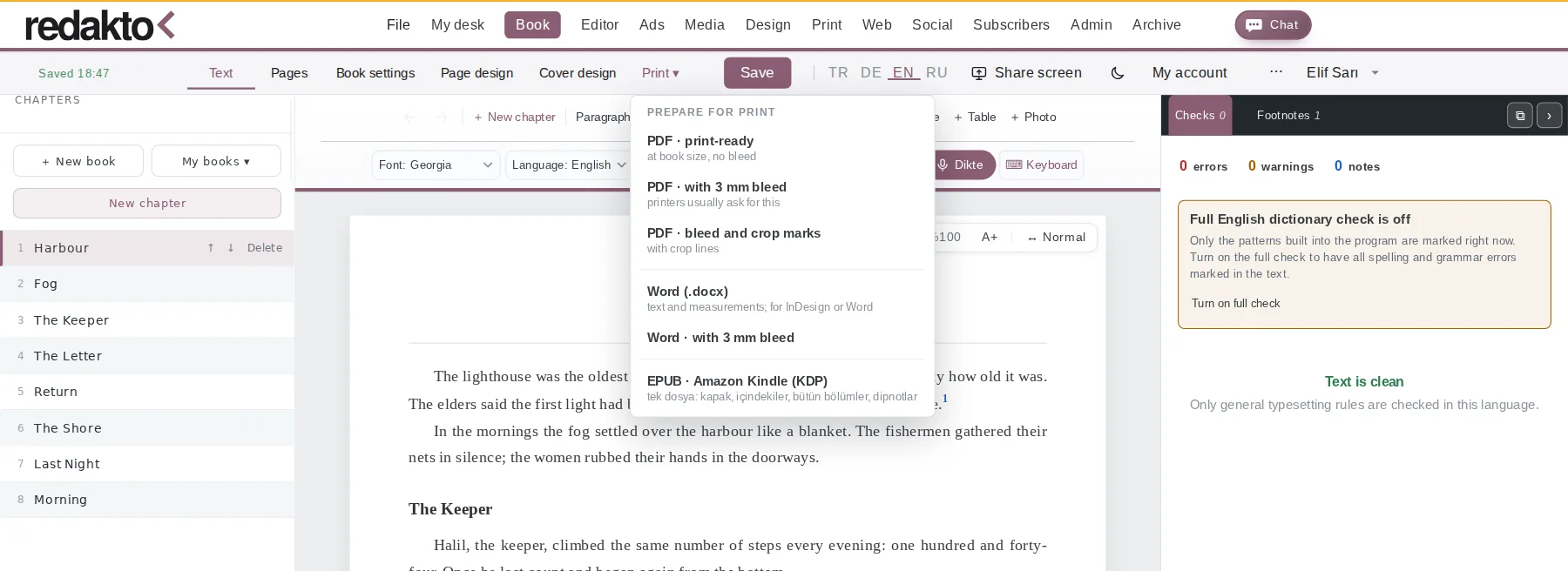
At book size, with 3 mm bleed or with crop marks – the way your printer asks for it.
Text and dimensions go to Word or InDesign; the contents list updates by itself when opened in Word.

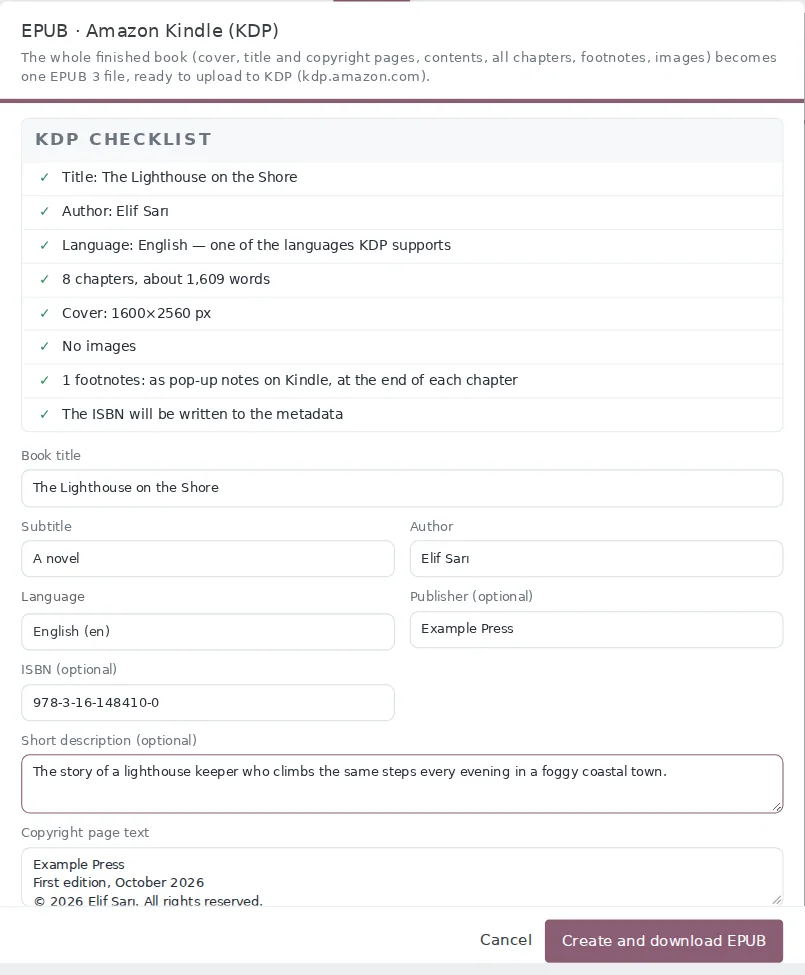
Choose “EPUB · Amazon Kindle (KDP)” in the Print ▾ menu: the whole finished book becomes a single EPUB 3 file, ready to upload to KDP. The window first shows a KDP checklist, so a missing author name or a cover that is too small shows up before you upload.
We recommend a look in the free Kindle Previewer before uploading. KDP also asks for the cover separately; 1600 × 2560 pixels is recommended.
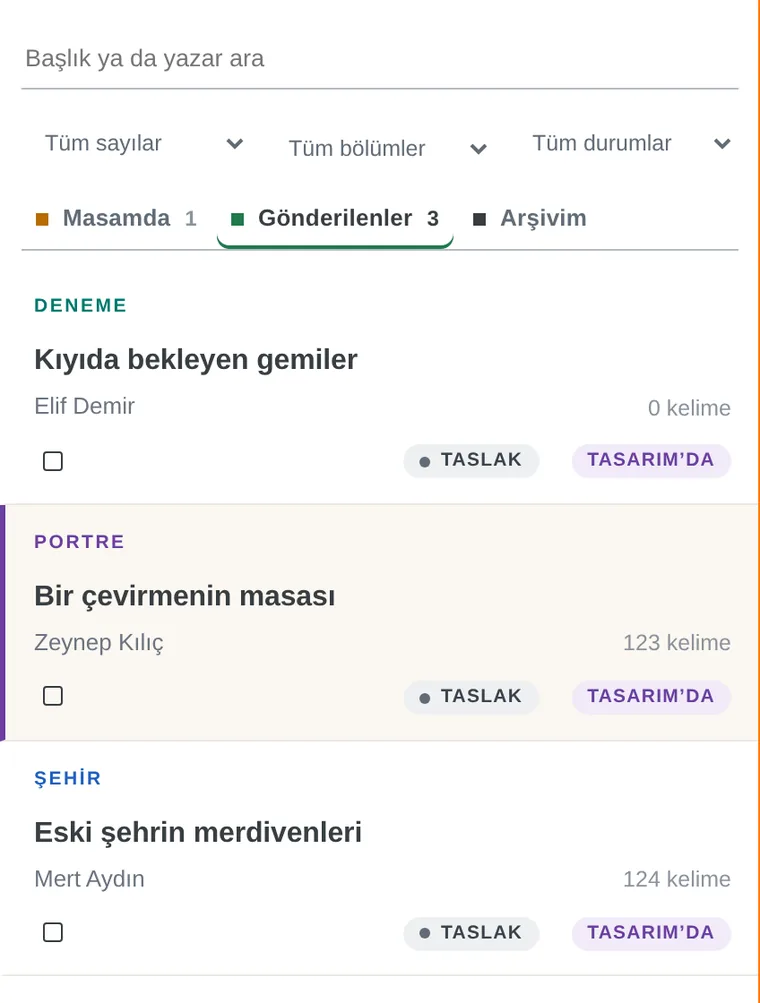
In Masam the author sees only the text: a plain list, a calm writing area, spell checking as you type. You can also speak; when dictation ends, punctuation and paragraphs are tidied with one click.
Turkish, German, English, Russian, Arabic and Hebrew. Say the punctuation too: “comma”, “period”, “new paragraph”. When you stop, Redakto proposes punctuation, capitals and paragraphs with one click; the words are never changed.
A fine divider instead of thick colour bars, clear titles, small status pills. The numbers along the text edge are gone; findings are underlined in the text and listed in the check panel.
“The sailor — who is wise — spoke” automatically becomes “The sailor, who is wise, spoke”. Dialogue dashes and number ranges are left alone.
Screens are taken from the app itself; people and articles are examples.


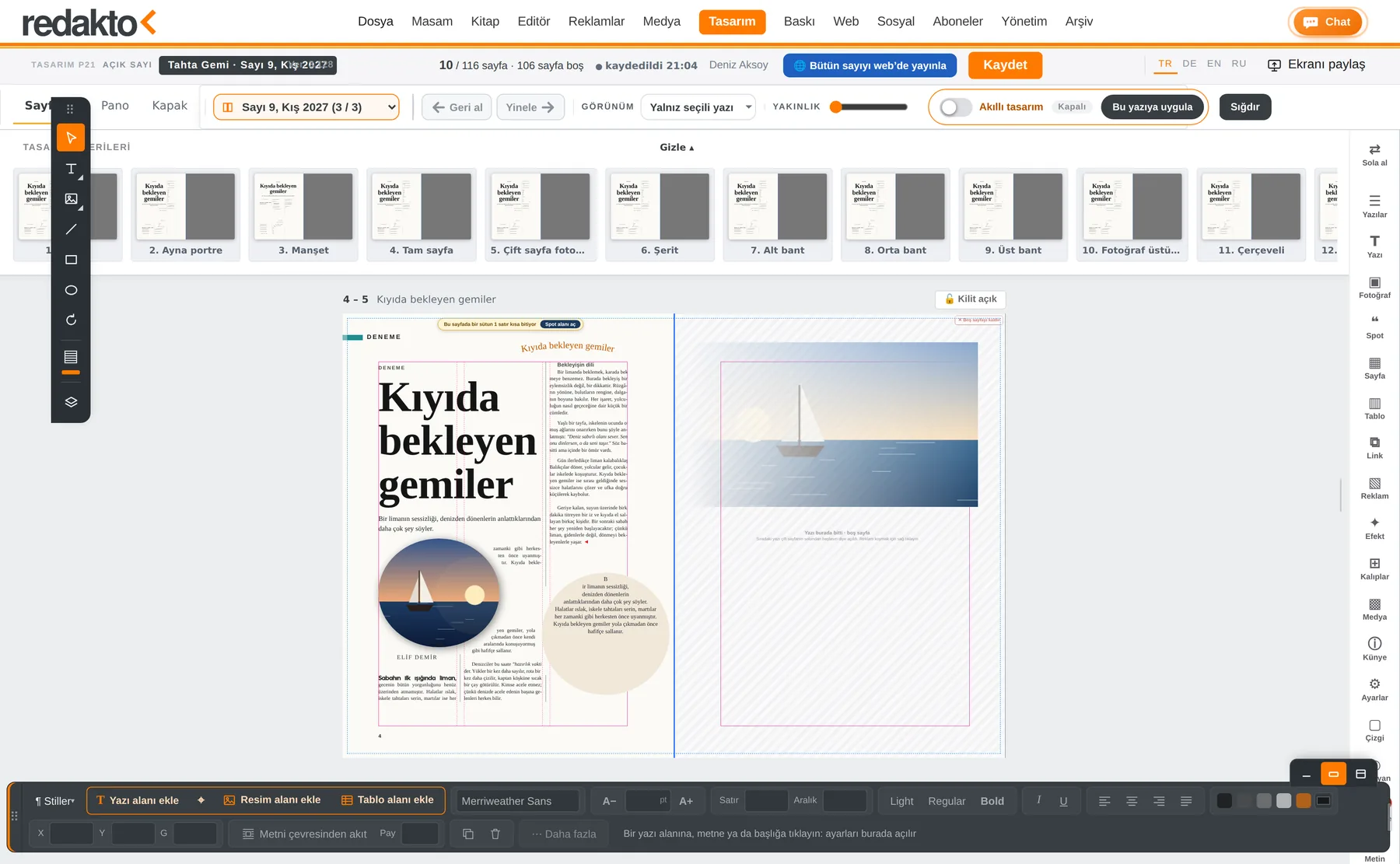
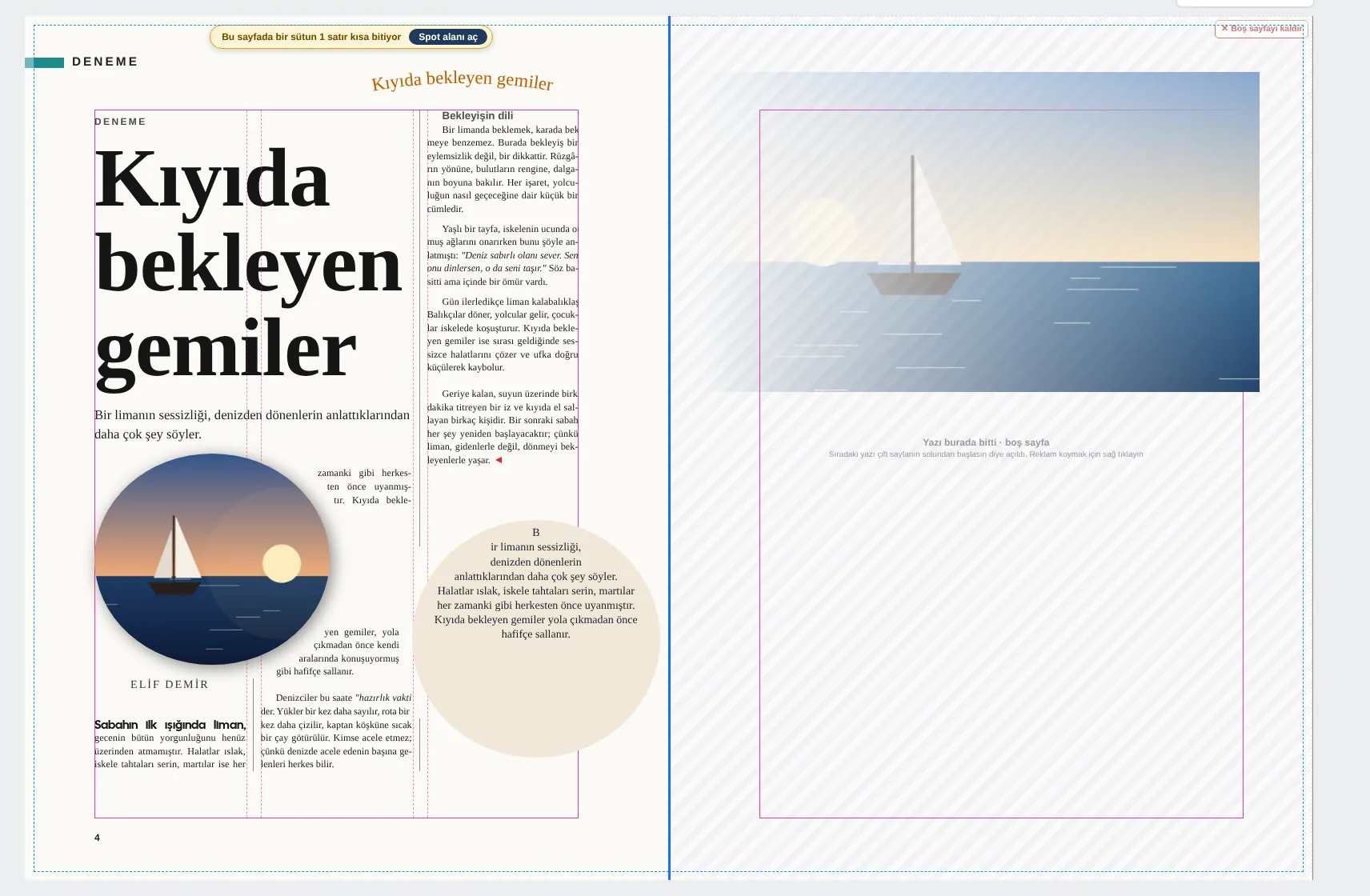
At the heart of Redakto are editing and design: the author writes on the desk, editors correct and approve in the Editor, Design lays out the pages by itself, and the file goes to press in the printer’s own language. No text is ever retyped or copied anywhere.
The author writes; spelling, language and style are checked while writing.
Editors correct and approve; the editor-in-chief has the final word.
Smart Design sets text, photos and ads on the pages.
PDF/X-3, FOGRA profile, bleed: the printer prints the file as it is.
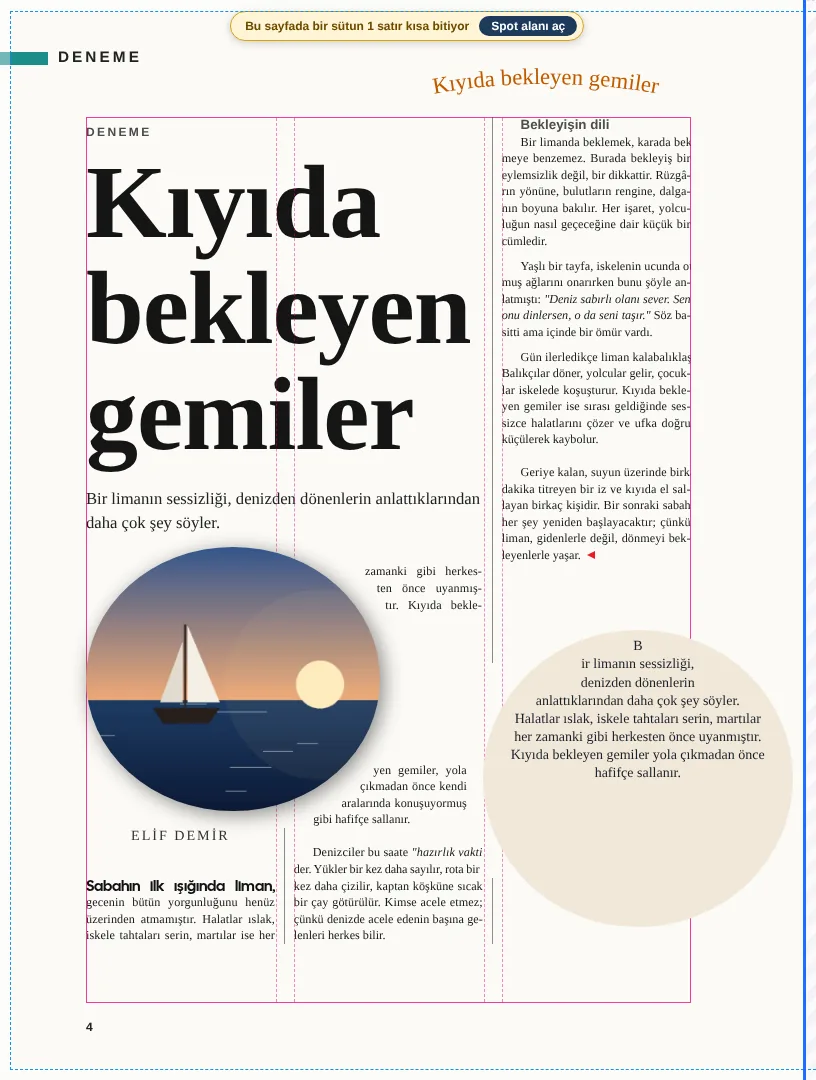
Template, columns, density, photo size and pull quotes are tried; the best layout wins, and neighbours never repeat.
Remove a background in one click, cut parts with lasso or brush; text flows around the contour.
PDF/X-3:2002, FOGRA39, 47 or 52; TrimBox, BleedBox, 3 mm bleed. IDML package for InDesign.
The Design module reads the text, photos and ads and lays out the pages itself. The final call and the final touch are yours; the file that goes to press meets the standard your printer expects.
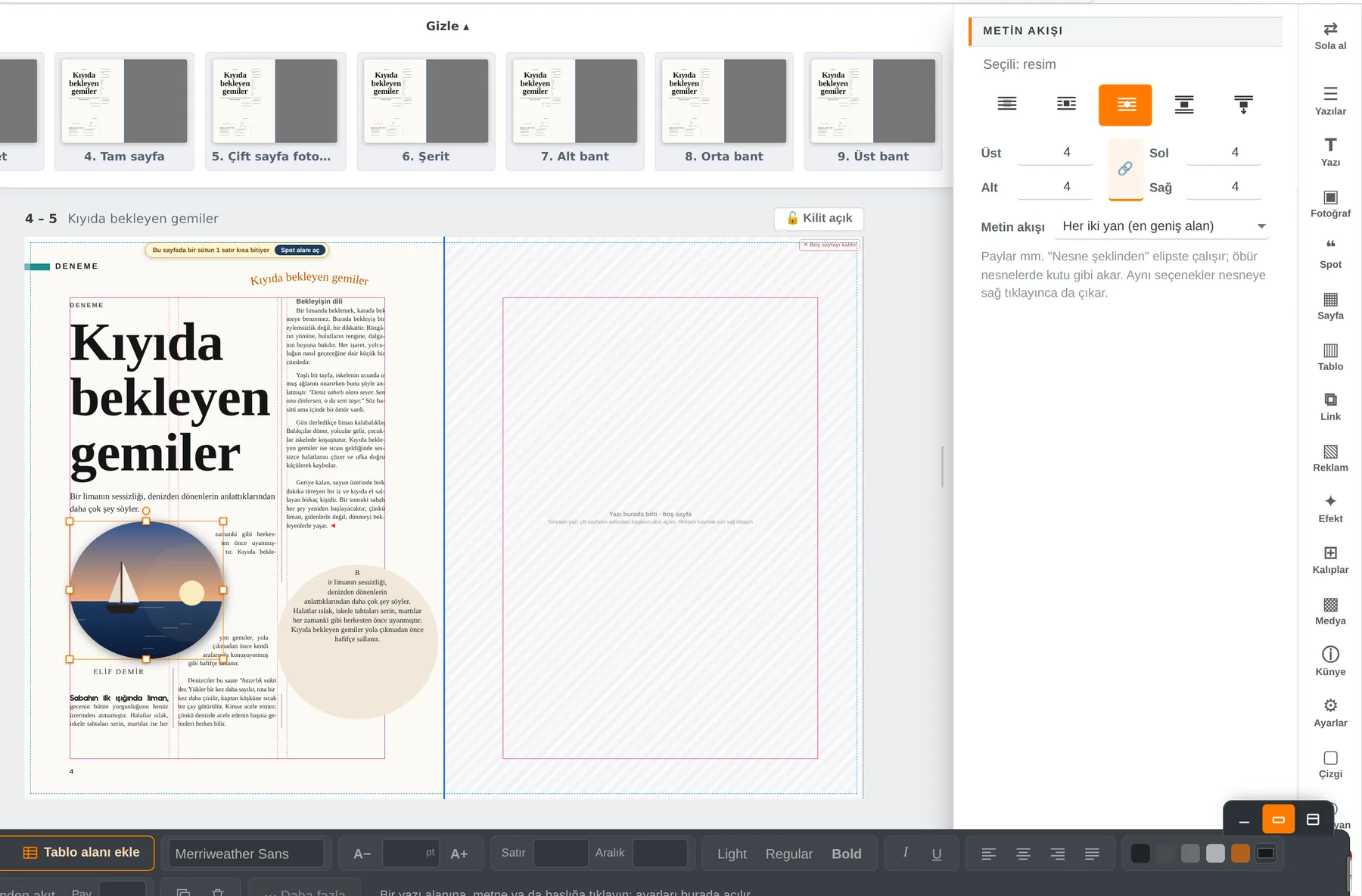
These images are taken straight from the program. The Design interface is in Turkish; the issue is an example.


The tools you know from InDesign, in the browser.
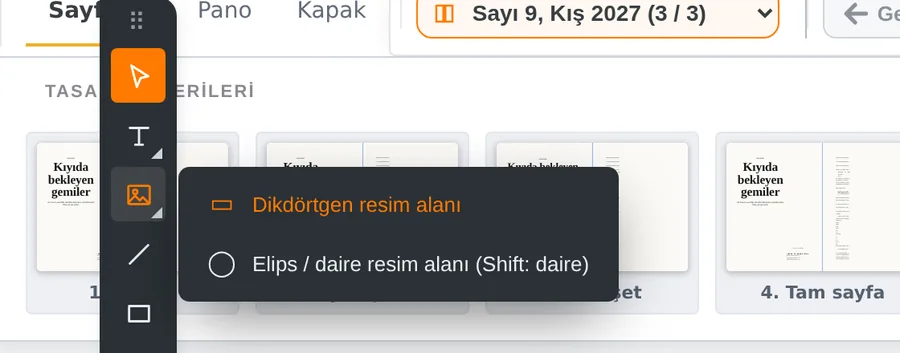
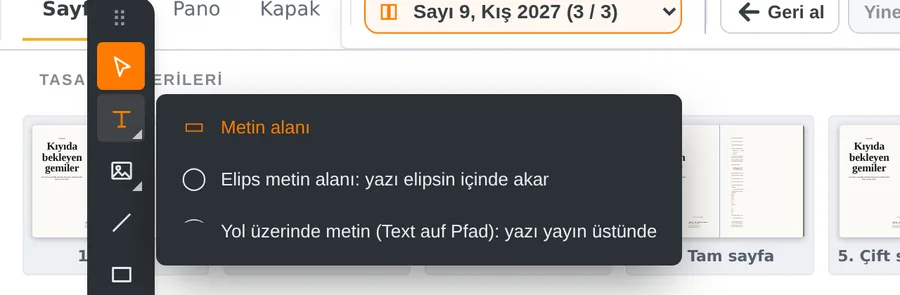
Chosen from the corner arrow of the Picture and Text tools. A photo in a circle frame sits inside the circle; in an ellipse frame the text flows inside the ellipse; on a path it runs along an arc. Right-click a shape and choose “Resim alanı yap” (picture frame) or “Yazı alanı yap” (text frame).
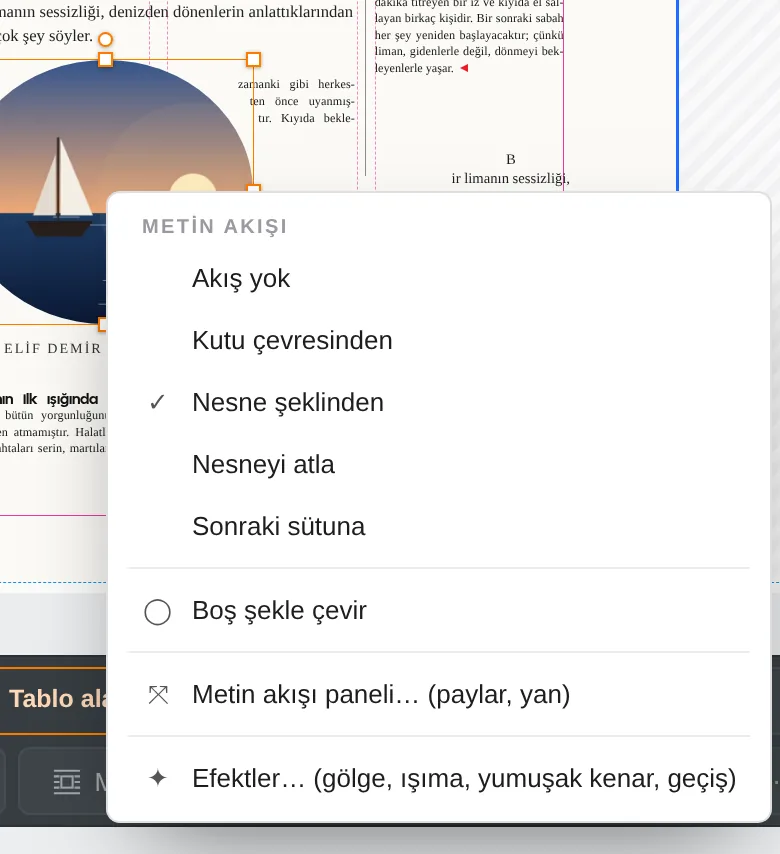
Five modes: no wrap, wrap around box, object shape, jump object, next column. A separate offset for each side in mm, right or left side only. In the right rail and on right-click.
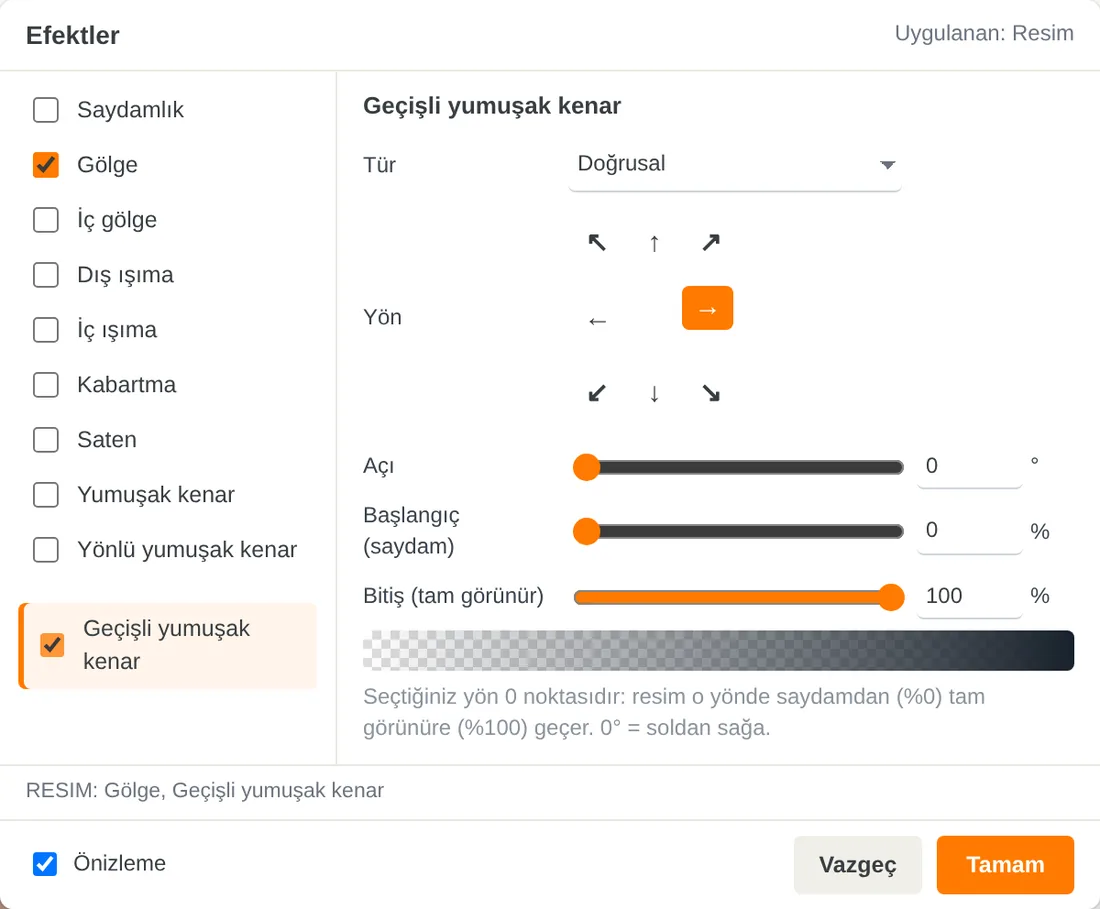
Transparency, drop shadow, inner shadow, outer and inner glow, bevel and emboss, satin, soft edge, directional and gradient feather. For the gradient feather the chosen direction is the zero point: the picture goes from transparent to fully visible. The window is small and moves freely.


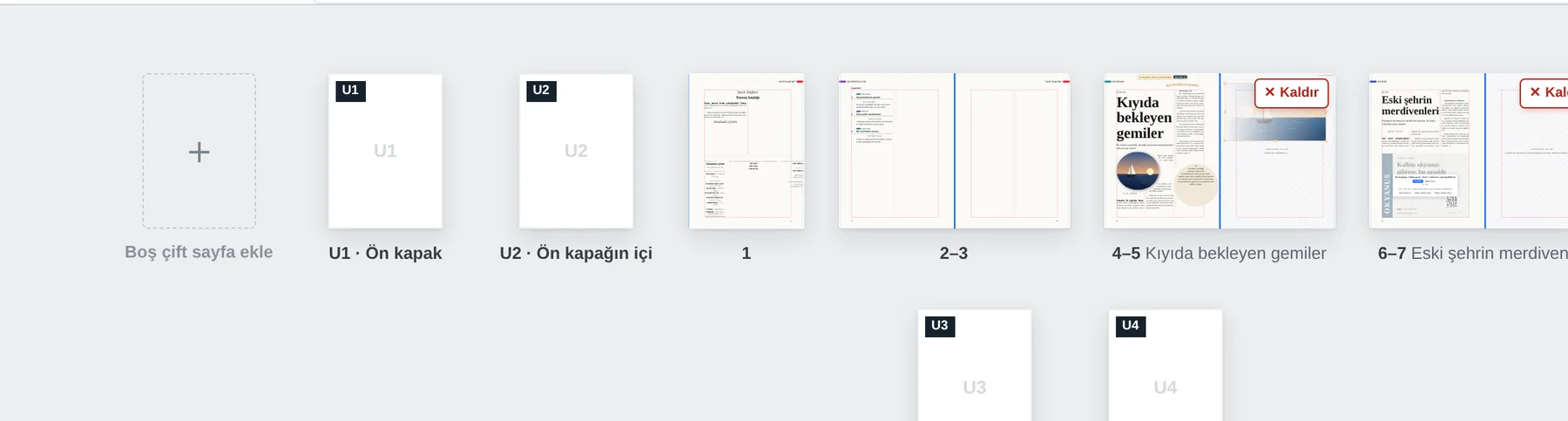
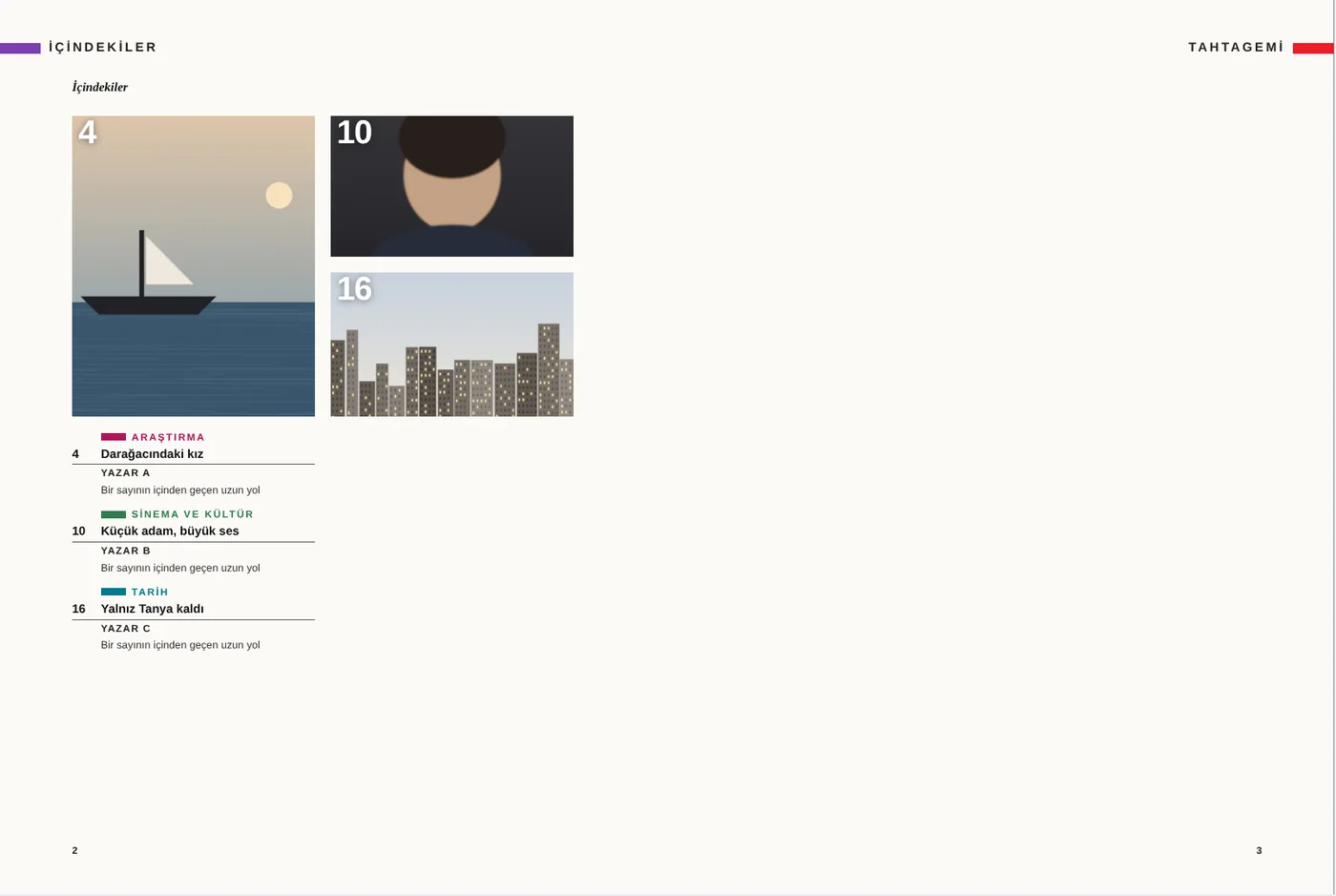
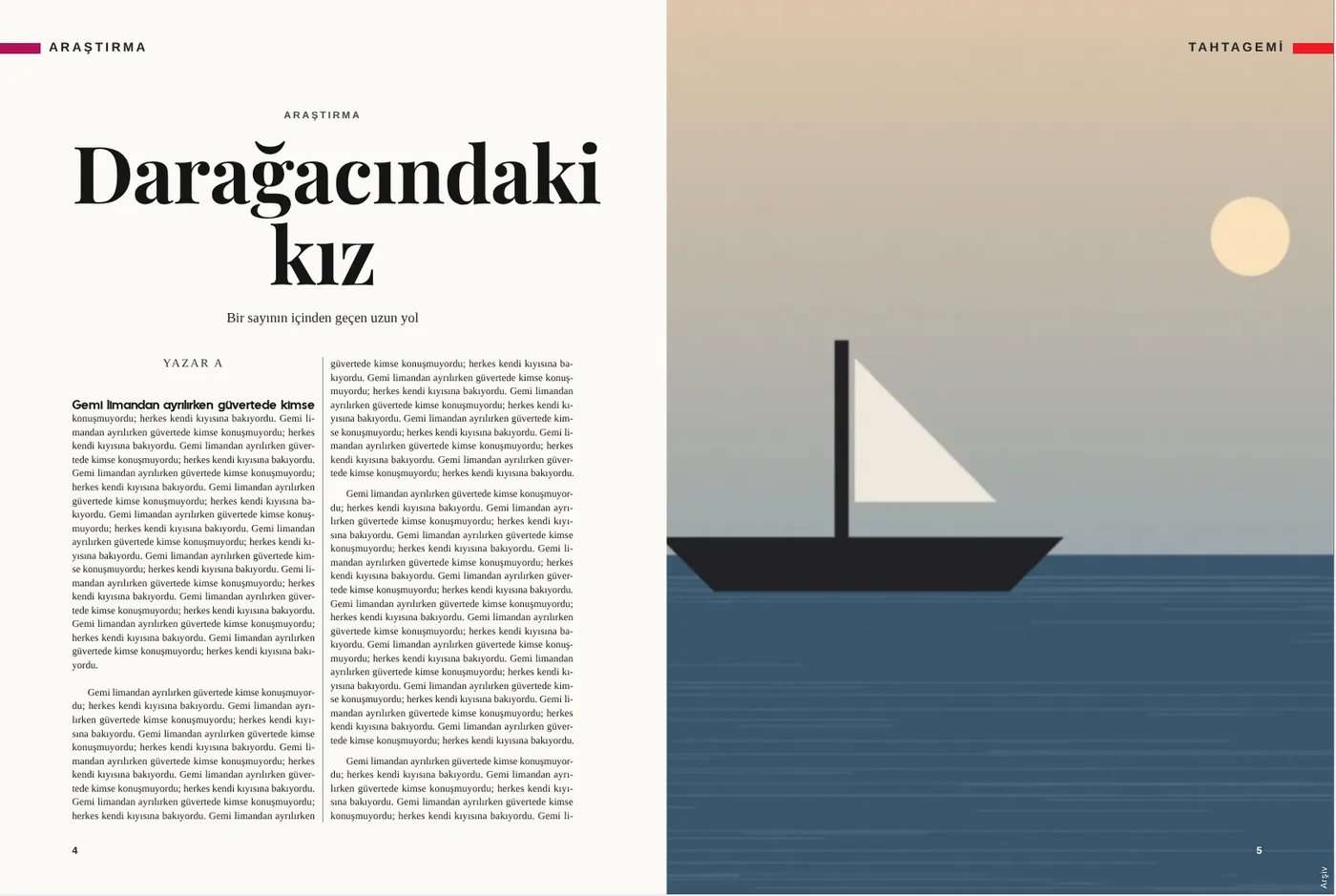
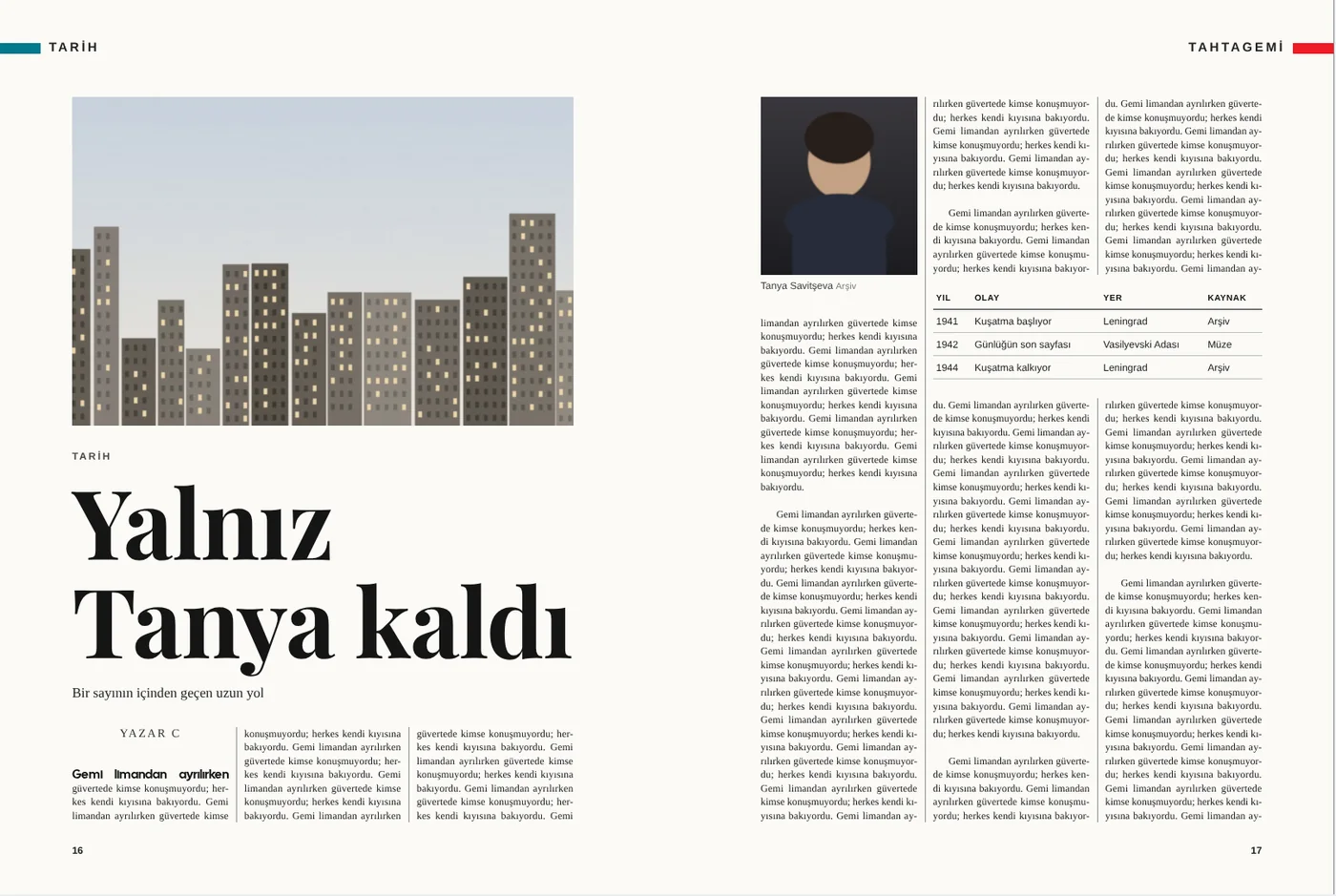
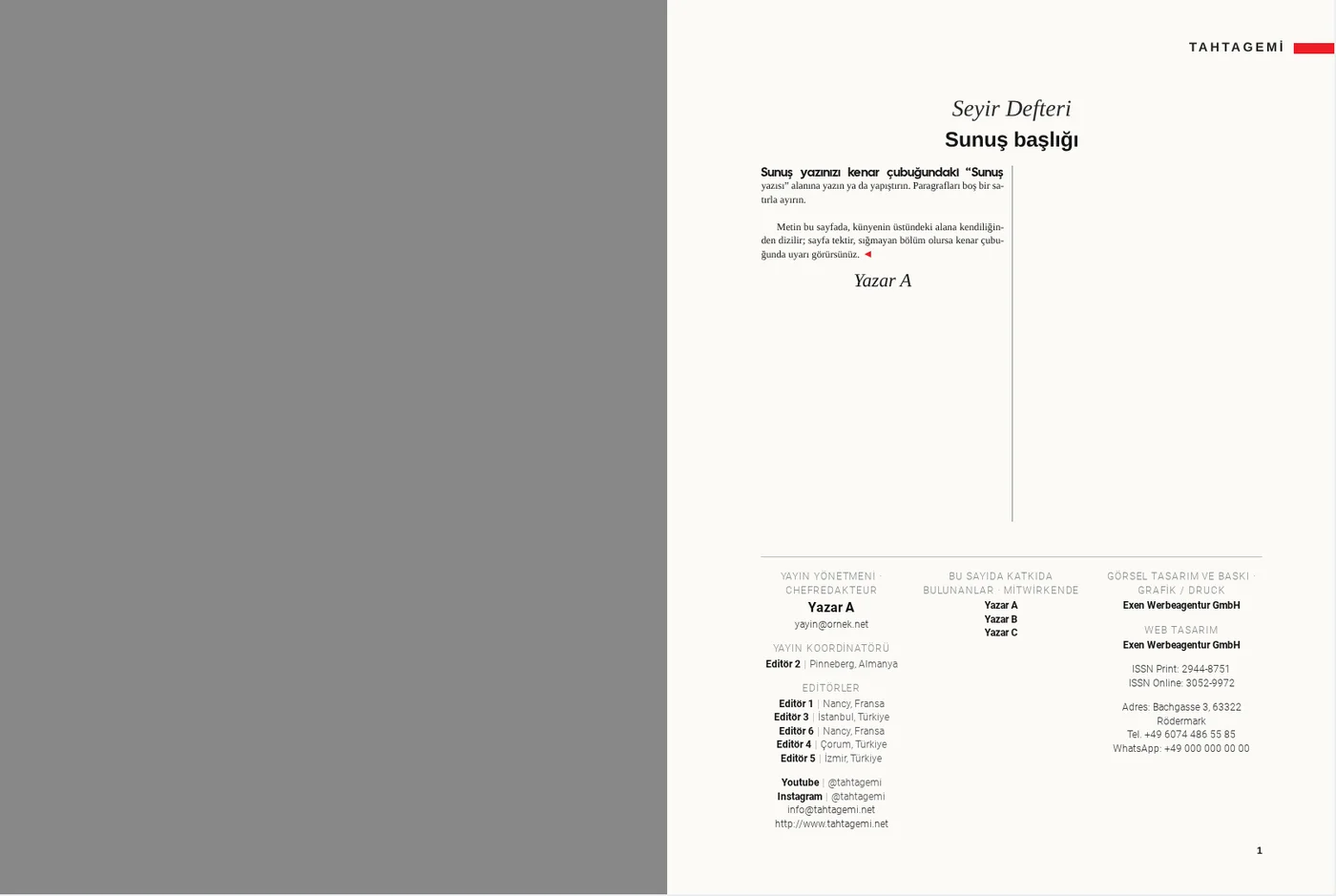
The spreads below were laid out in Design with Smart Design; the Print module places them on the press sheet.


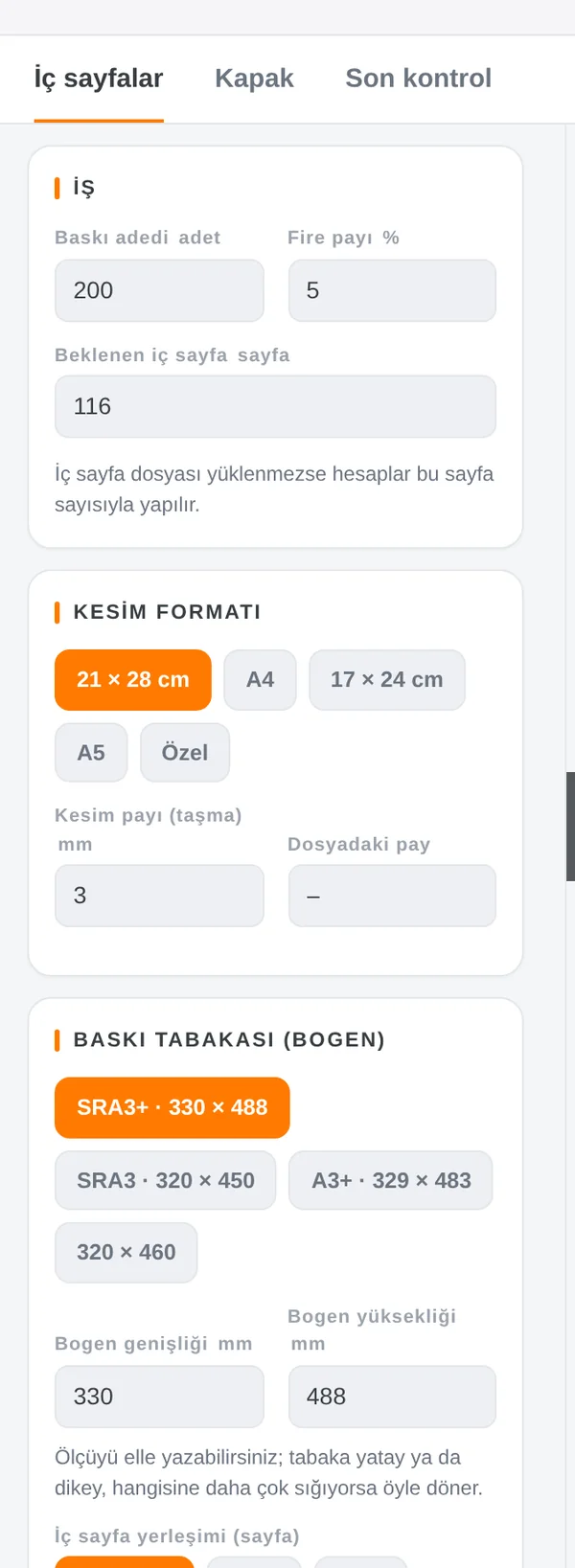
It prepares the print job for the inside pages and the cover: run length and spoilage, trim size (21 × 28 cm, A4, 17 × 24 cm, A5 or custom), bleed, press sheet (SRA3+ 330 × 488, SRA3 320 × 450, A3+ 329 × 483 or your own size), imposition (automatic, 1 × 1, 2 × 1, 2 × 2) and multiple-up copies. The Inside pages, Cover and Final check tabs take the job to press step by step.
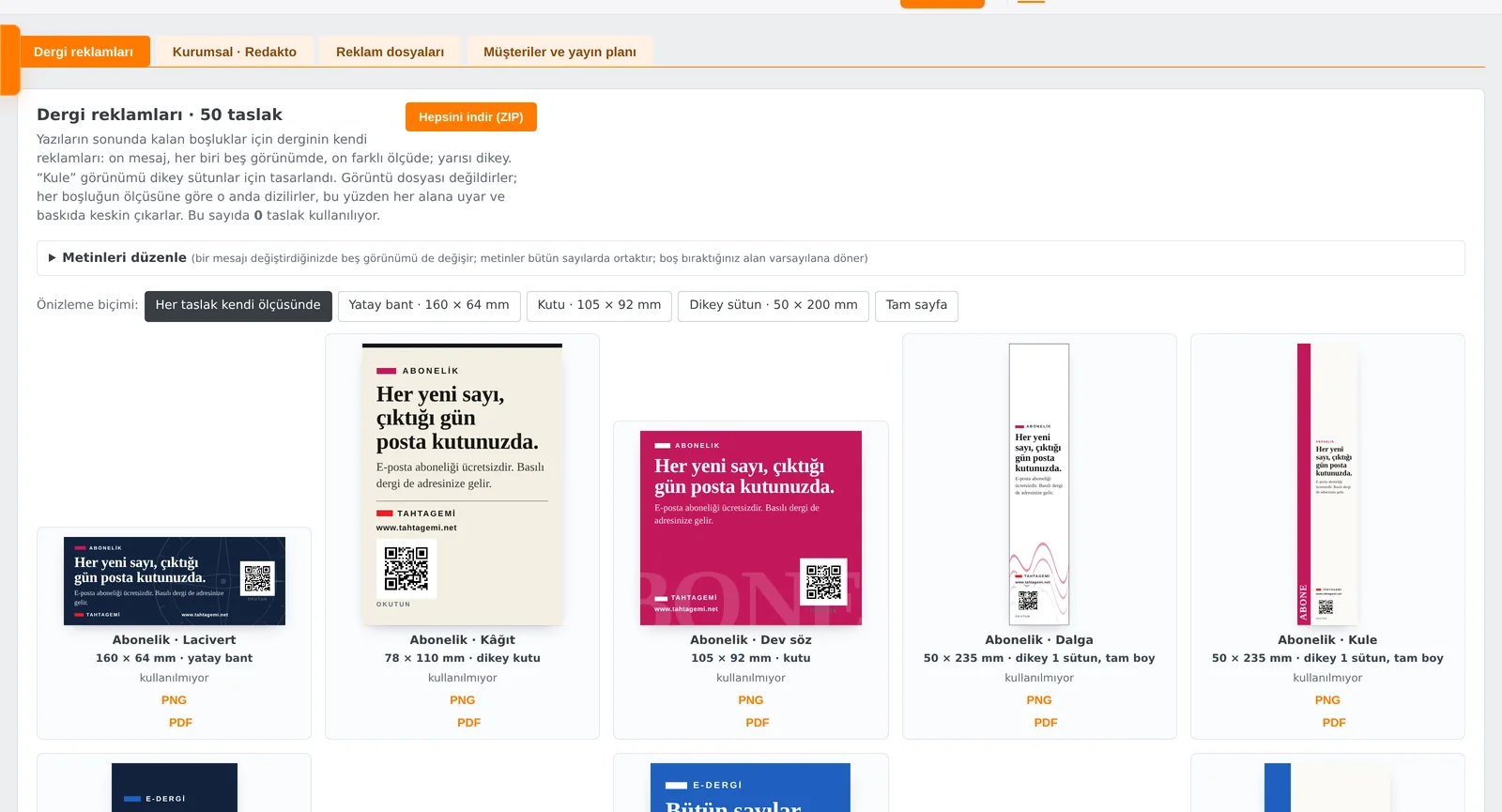
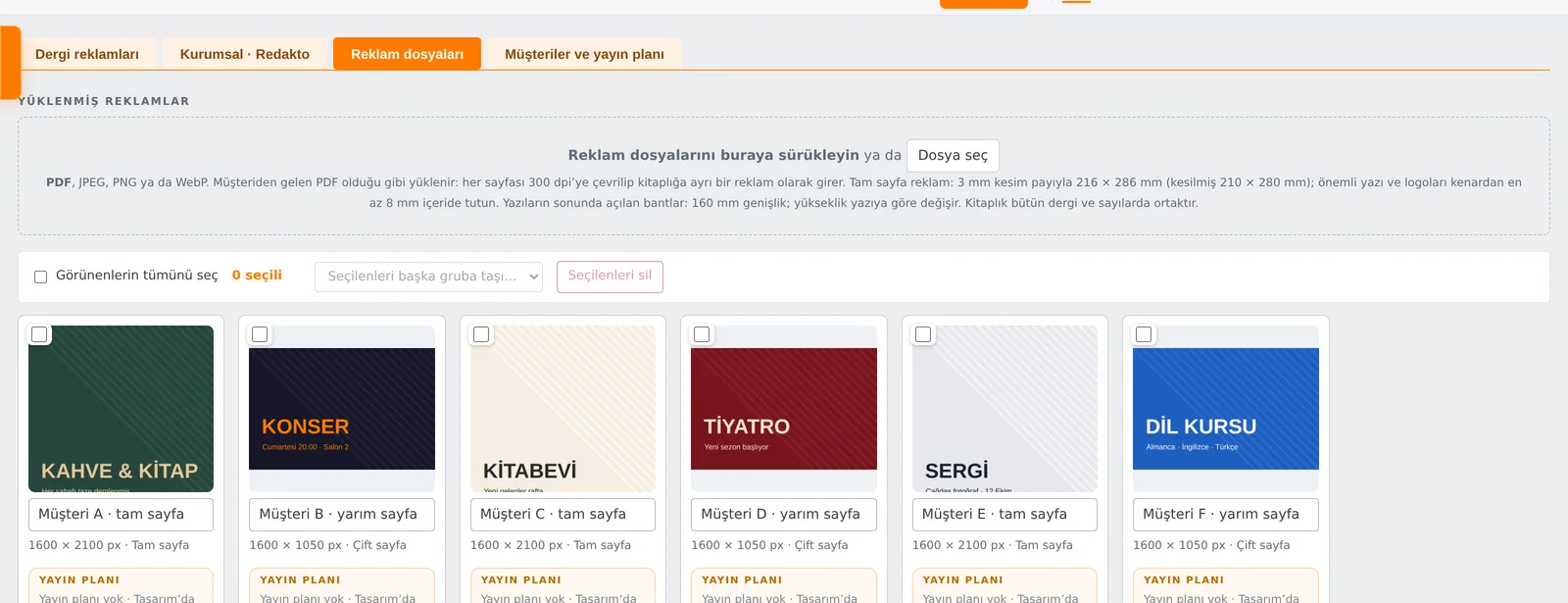
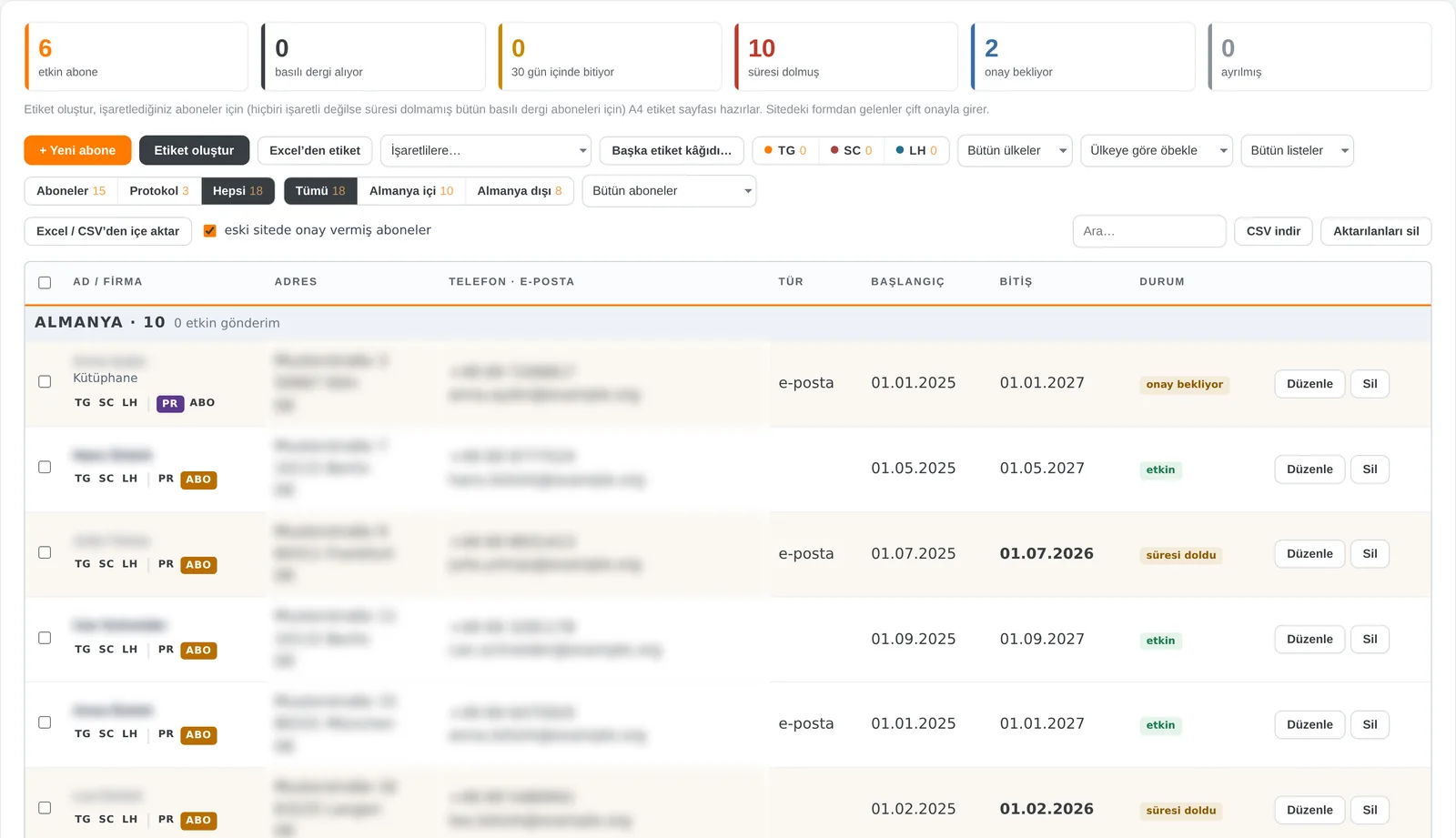
House ads, client ads and the subscriber list live inside Redakto, linked directly to the laid-out pages. The images use sample data; names, addresses and contact details are blurred.


House ads: fifty drafts such as subscription, e-magazine or call for writers; each is set on the spot to the size of the gap, with no resolution issues. Ad files: the client’s PDF, JPEG, PNG or WebP; every PDF page is taken at 300 dpi. Each ad gets a placement plan: which issue, which page; when the issue opens, the ad is in place.

Active, print, expiring, expired, unconfirmed and cancelled subscriptions at a glance. Separate lists for Tahta Gemi, Schriftart and Last Harbour; grouping by country, list and magazine. Create labels prepares an A4 label sheet; labels from Excel, import from Excel/CSV and CSV export. Website sign-ups use double opt-in.
Redakto takes on the work that costs an editorial team hours; decisions and style stay with you.
Reads the text length and the number and orientation of photos; tests columns, photo size, pull quotes and layouts, and picks the best.
Following Duden, TDK and English rules: finds the error, explains it, fixes it in one click. Recognises footnotes, references and quotation marks.
The Book Editor sets chapters, running heads and imprint itself. Over a hundred cover designs; the spine width is calculated from page count and paper.
Writers, editors and designers work on the same issue at the same time. Who approved what is always visible.
Print PDF with bleed, imposition and cover are prepared automatically. The same story is live on your website and in the page-flip e-magazine.
Your editors work on the same issue wherever they are: review pages remotely, mark corrections right on the page, chat, call and share a screen. All inside Redakto, with nothing extra to install.
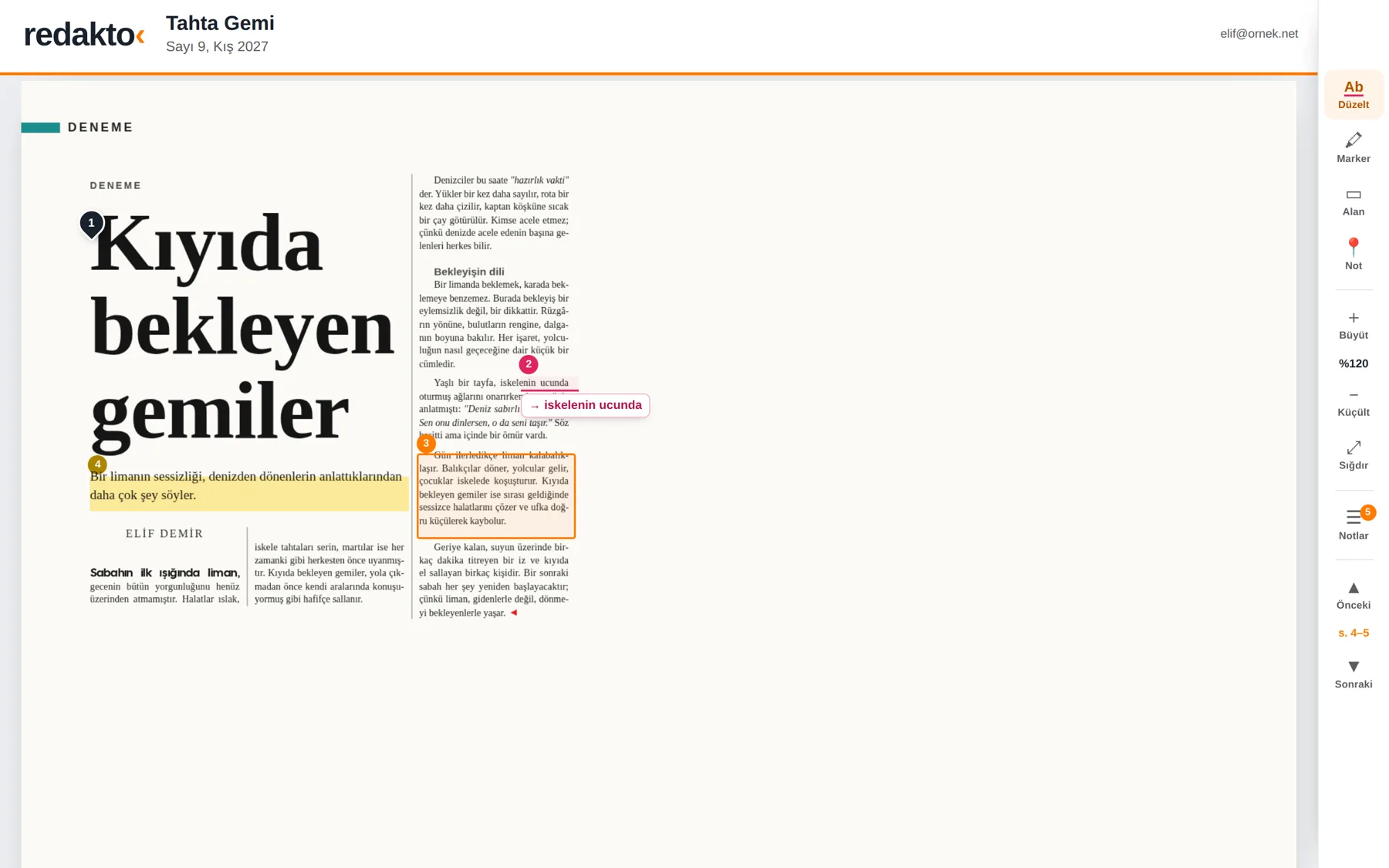
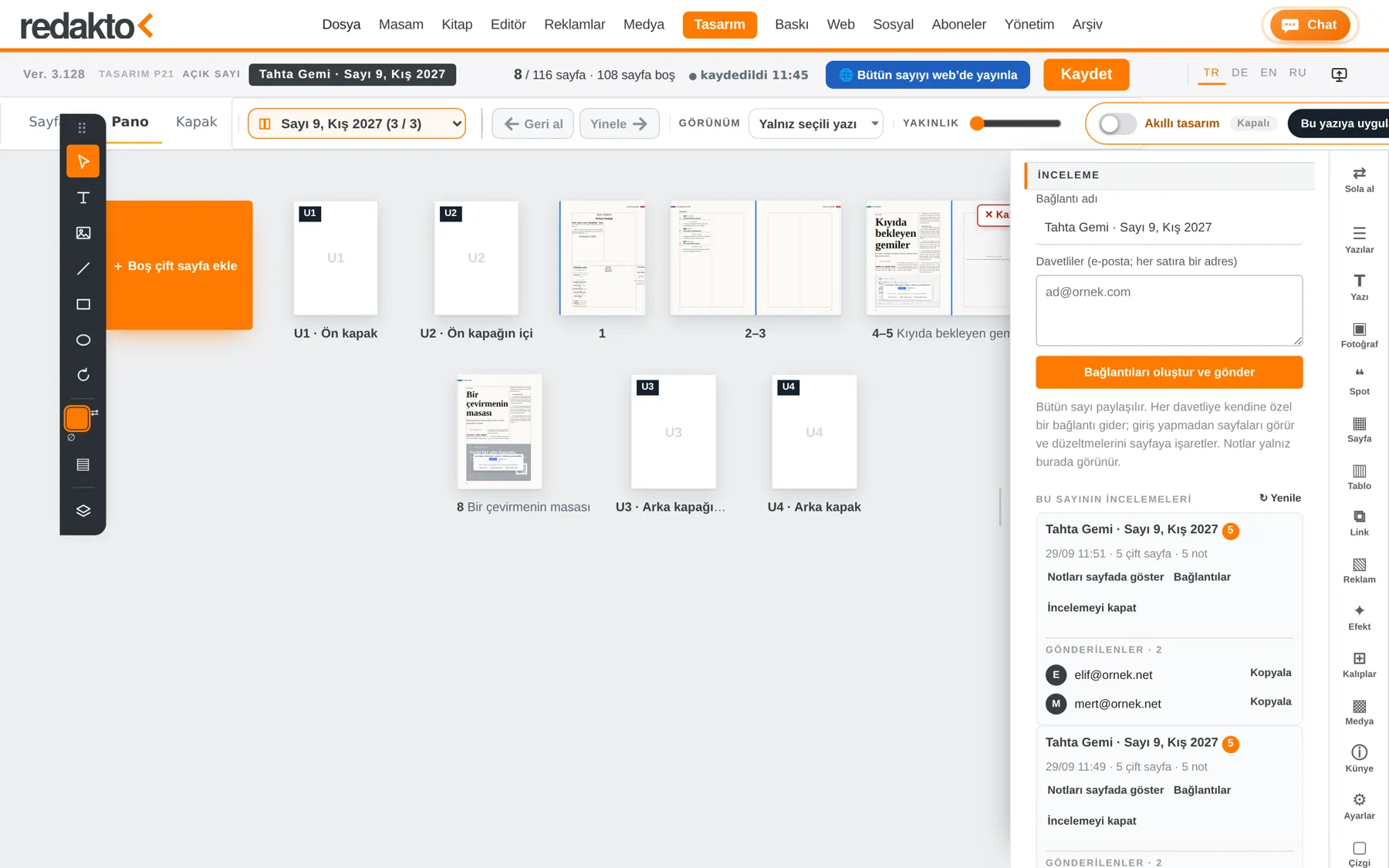
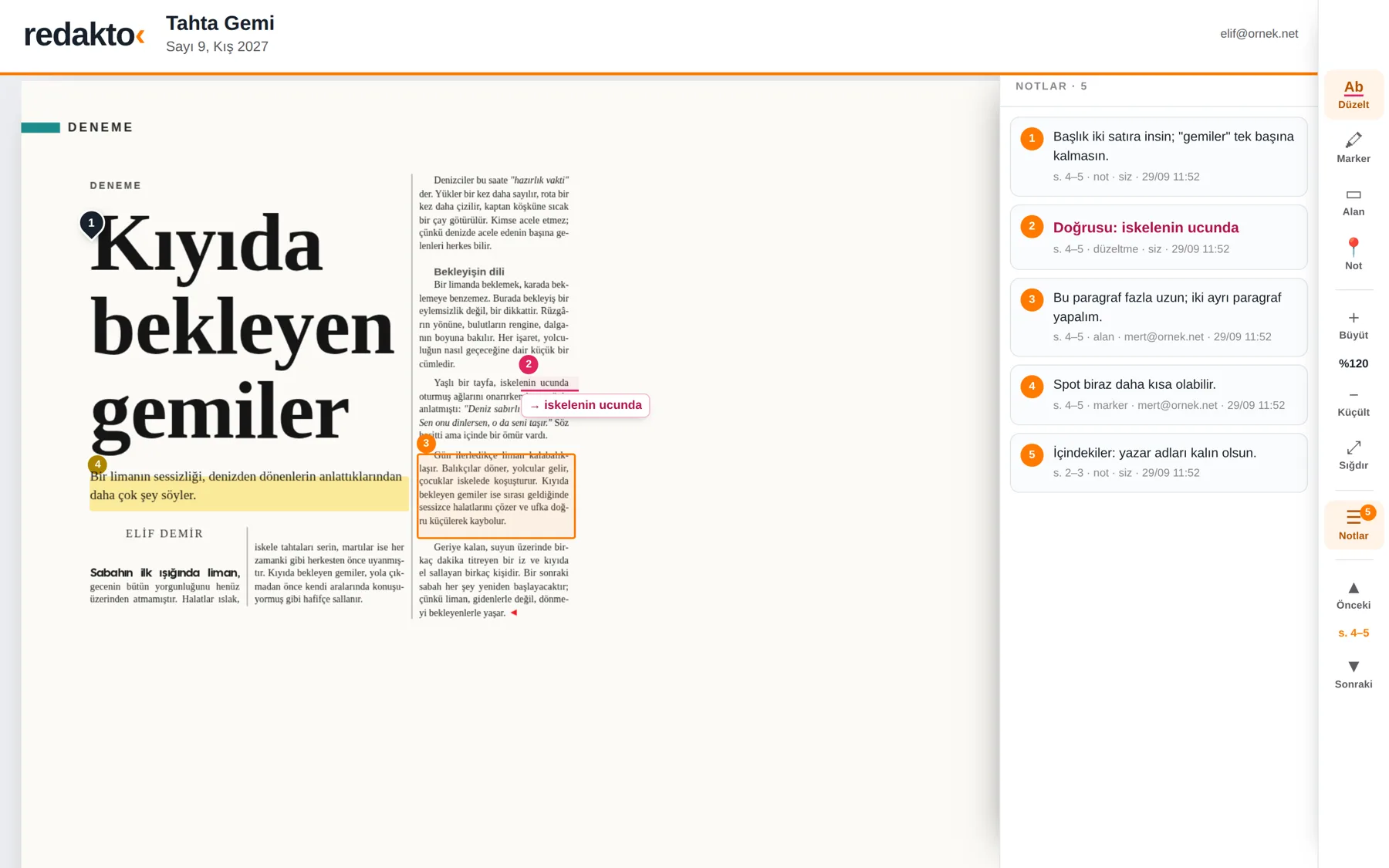
The editor-in-chief turns an issue’s pages into a review link with one click. Invited editors open it without logging in and mark corrections, highlights, areas or notes. The marks appear on the page in the layout.
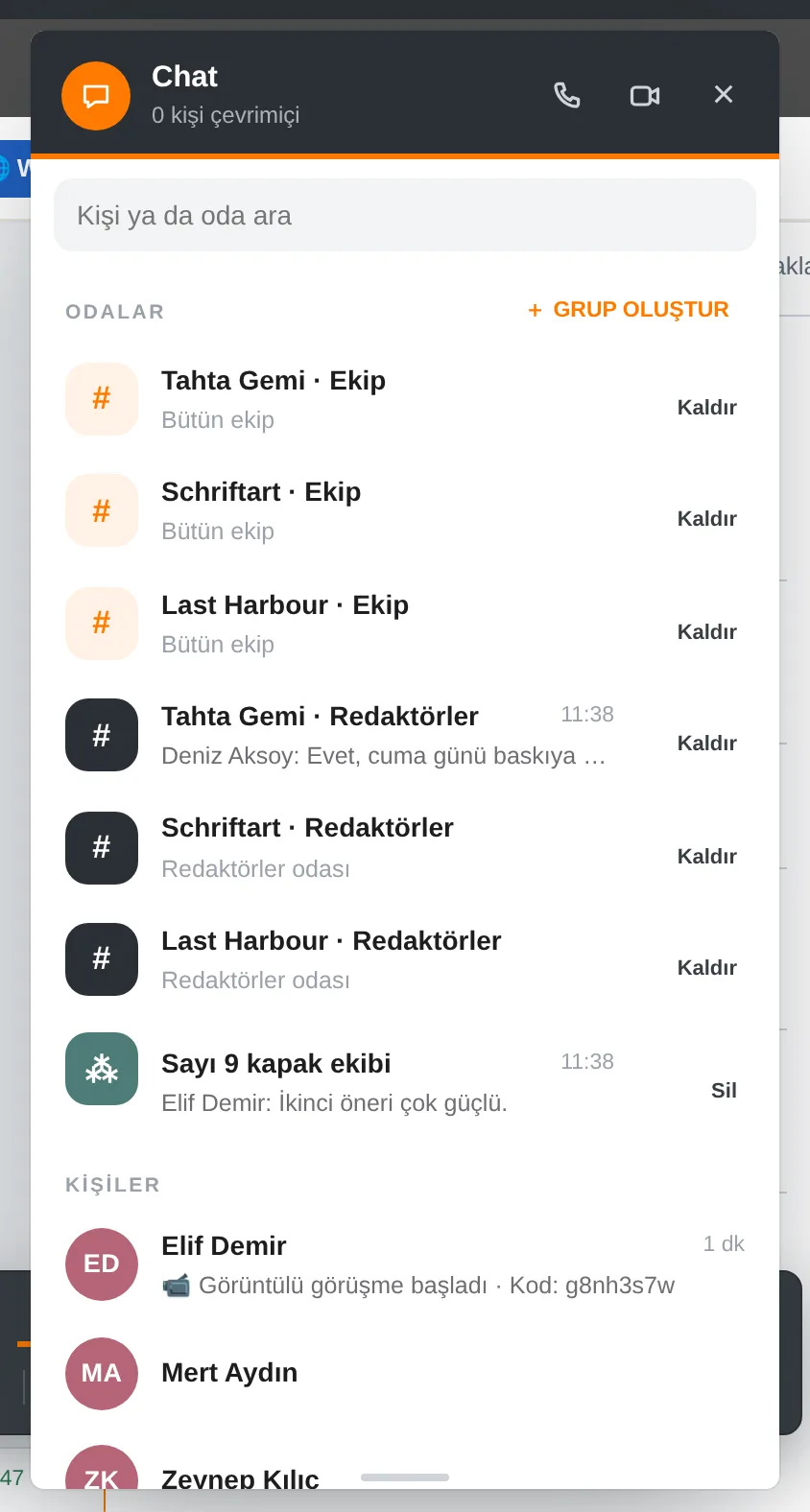
Rooms per magazine, direct messages and groups set up by the editor-in-chief. Members are visible and can be added or removed later. File sharing, read receipts, online status.
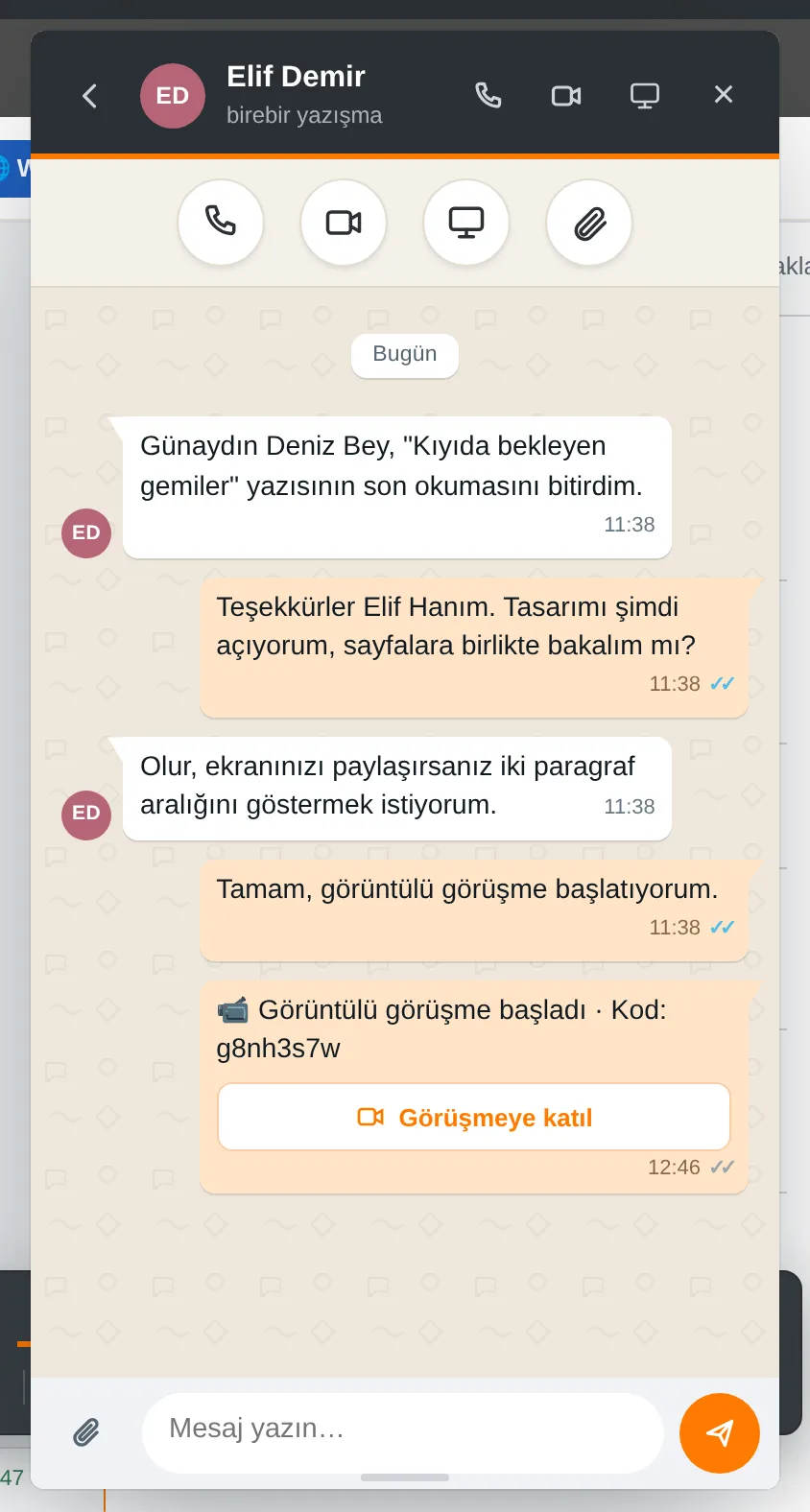
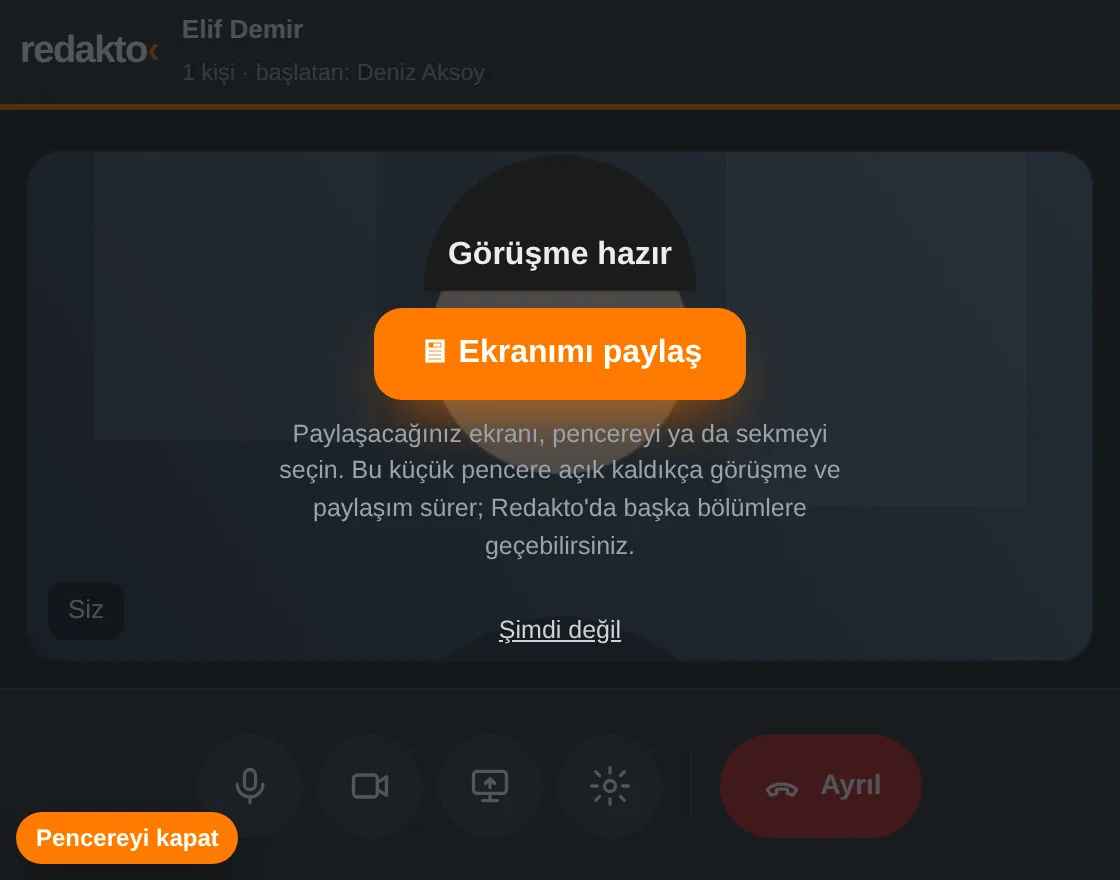
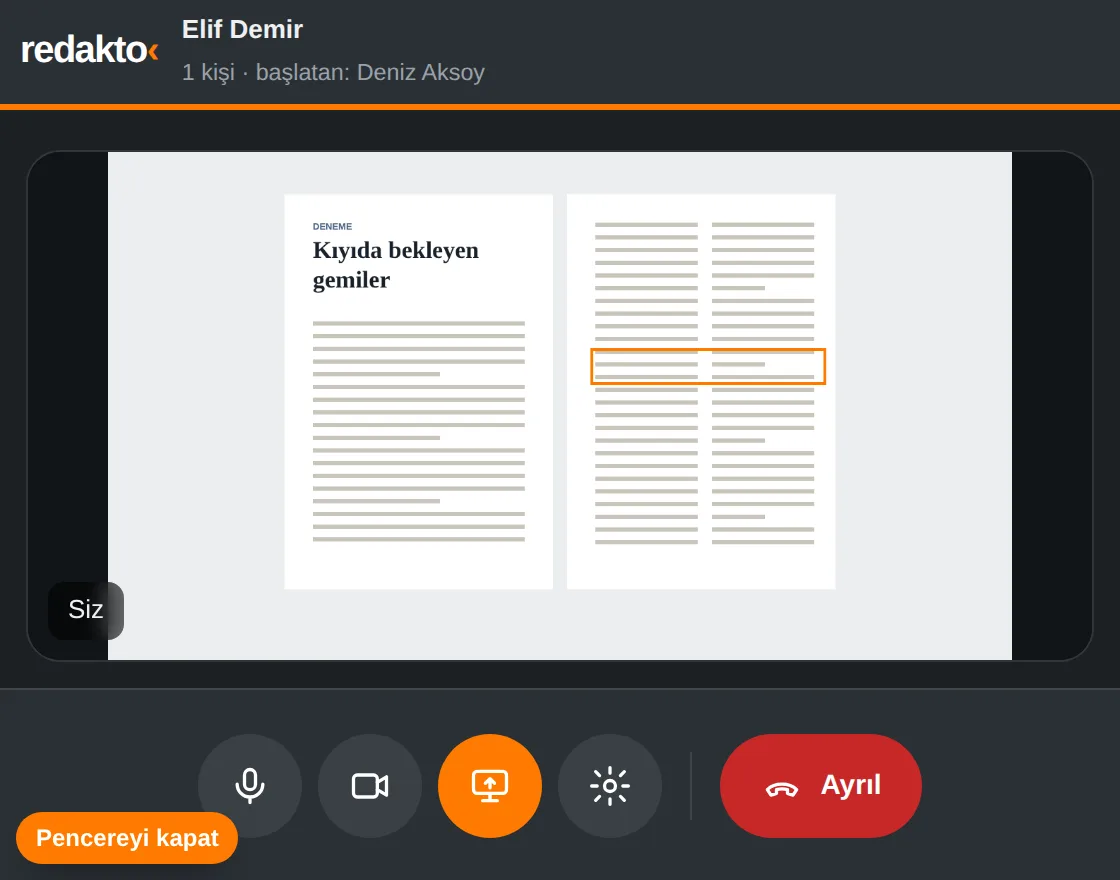
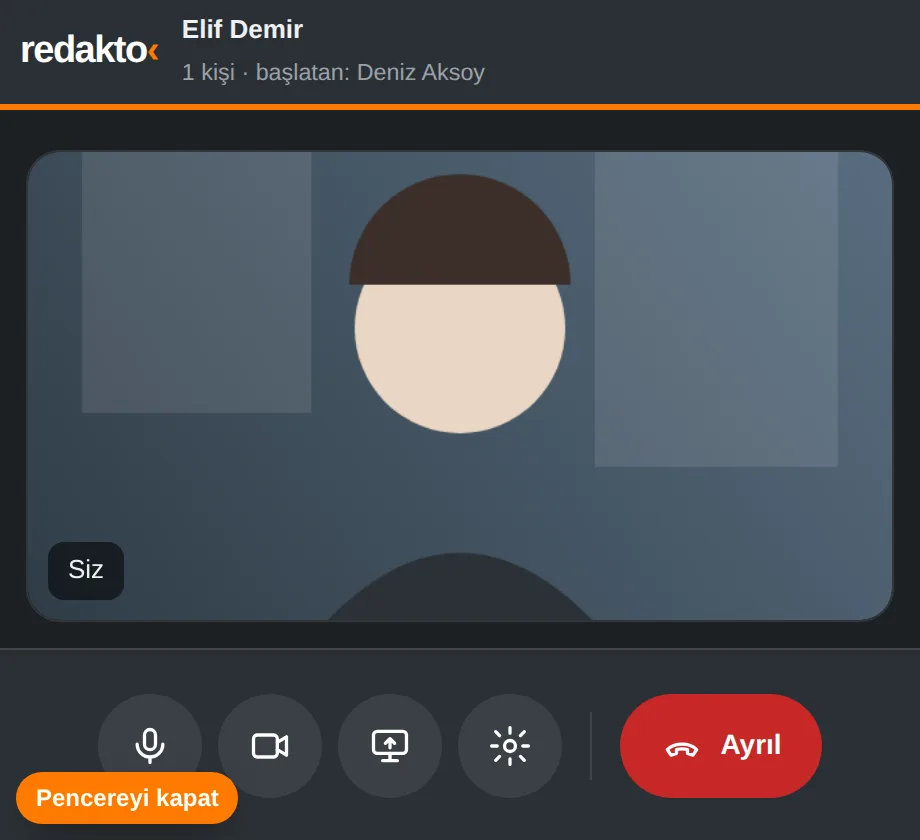
A voice or video call from any conversation with one click: video on top, chat below. Screen sharing runs in its own small window and keeps going when you switch modules in Redakto.
Screens are taken from the app itself; people and articles are examples.


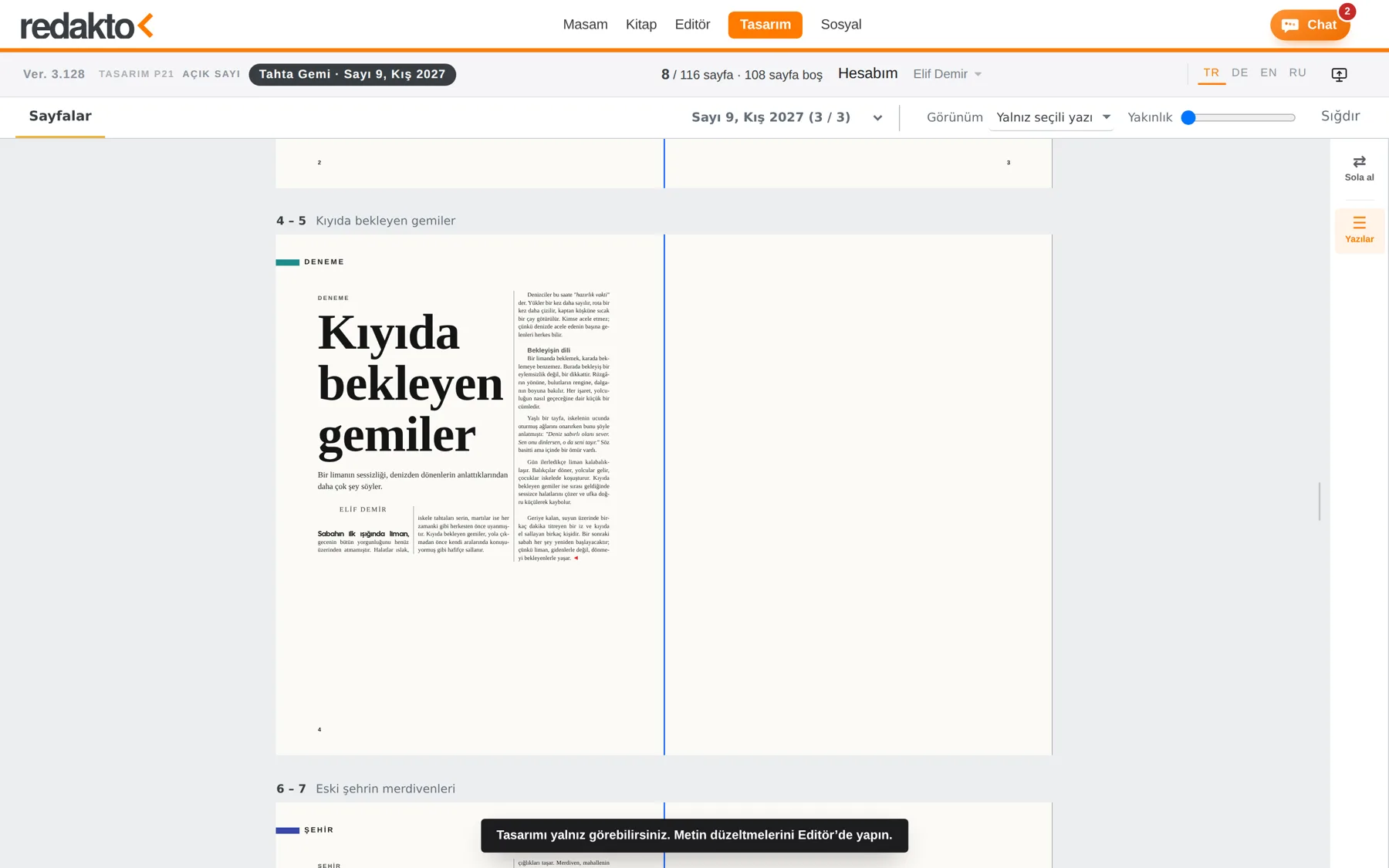
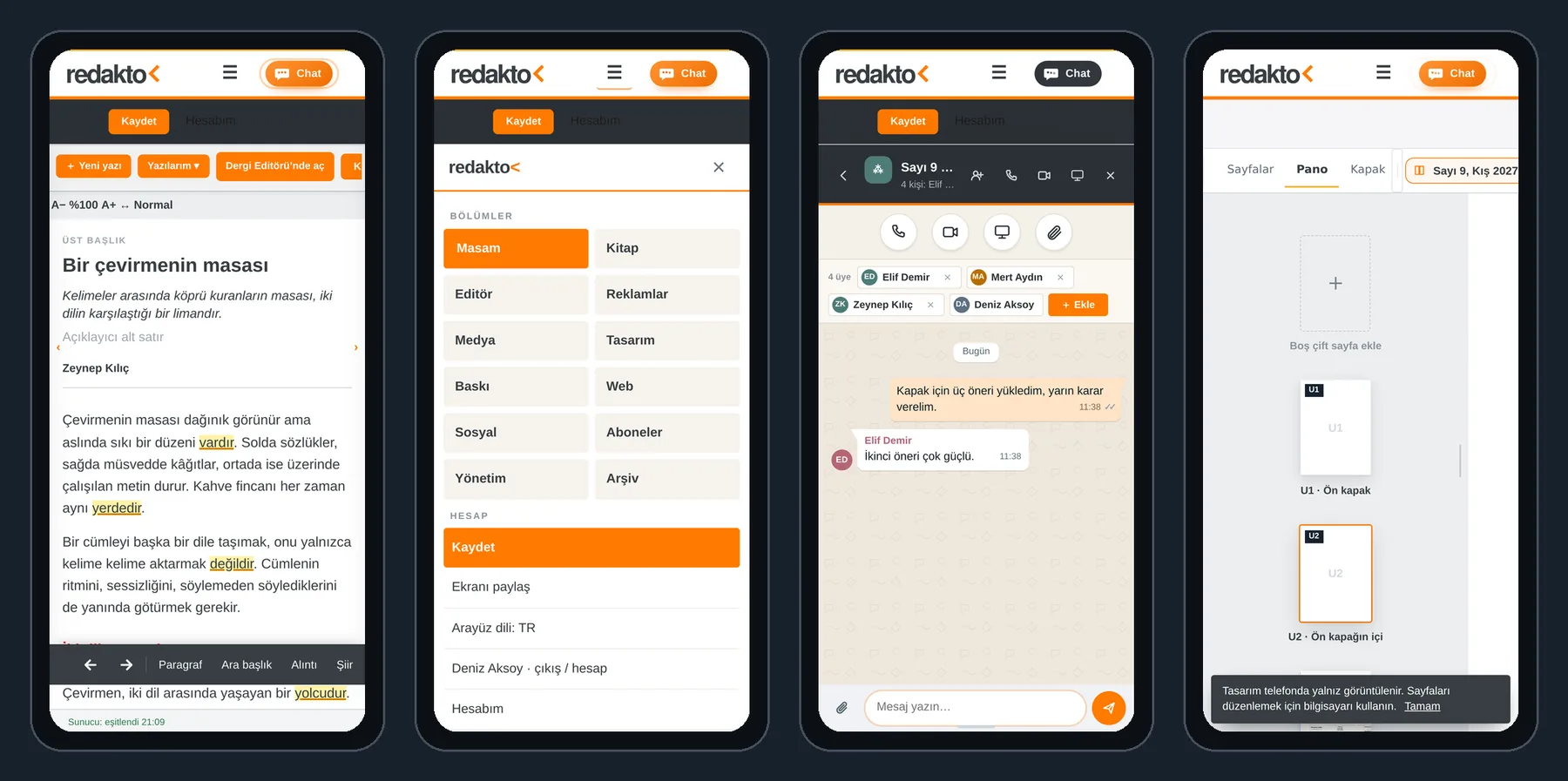
Redakto installs on phone and computer as an app: its own icon, full screen. On the phone the bar is kept simple: logo, ☰ menu and Chat.

iPhone: open Redakto in Safari, Share › Add to Home Screen. Android: Chrome menu (⋮) › Install app. Computer: the install icon in the address bar of Chrome or Edge. The app always opens the current version; no updates needed. On the phone Masam, Editör, Kitap, Chat and calls work fully; Tasarım (layout) is view-only.
The editorial system has taken another step in languages, search and workspace.
100 templates, one-click carousel kits; your content stays when you switch templates; add music and export a video. At tahtagemi.net/studio, with your Redakto account.
The finished book becomes one EPUB 3 file from the Print ▾ menu: cover, contents, chapters, footnotes, images – with a KDP checklist.
Chapters and My books stay on the left in every view; the two-row writing bar stays put, with a bold line in the module colour beneath it.
Speak to write on the phone; if the browser will not listen again by itself, one tap per sentence is enough. Where dictation is unsupported, the keyboard microphone is suggested.
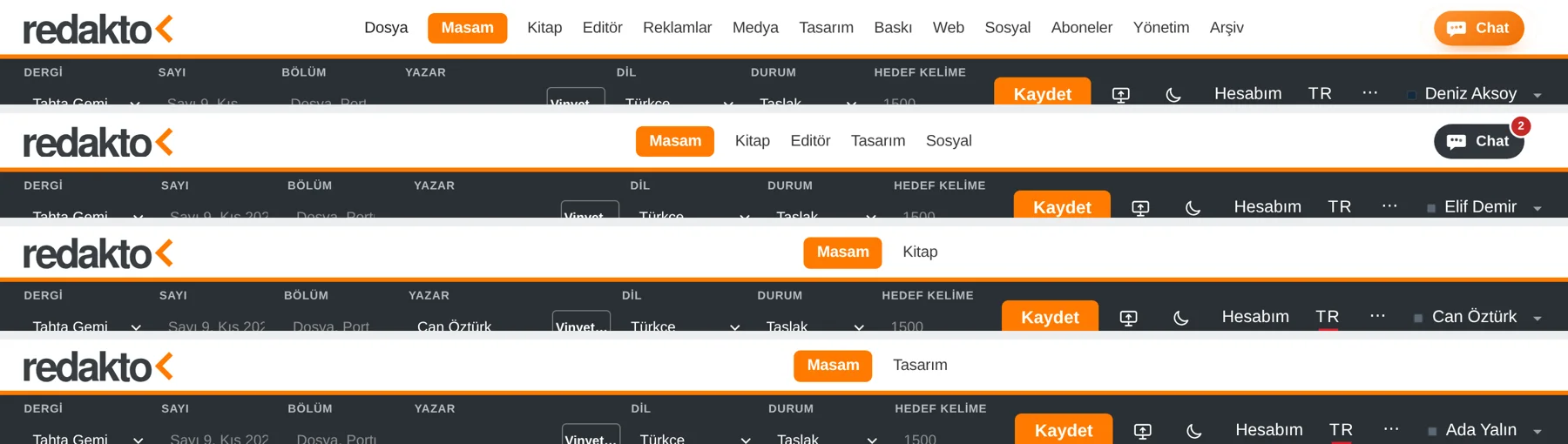
In Masam, texts appear as titles only in a plain, striped table; the list belongs to the author alone.
The Media module and the File menu are visible to the editor-in-chief only; nobody but the owner sees the files on a desk in Masam.
Every module has its own colour; the Book and Masam bar is laid out the same in Turkish, German, English, Russian and Arabic.
Redakto articles into the InDesign panel, InDesign corrections back to Redakto; your paragraph styles unchanged.
The ad travels from the artboard to Redakto as a PDF; customer, issue and page are assigned in the incoming pool.
Drop shadow, glow, bevel and gradient feather, for pictures, frames and text boxes.
Five modes, four offsets, right or left side only; in the right rail and on right-click.
Circle picture frames, ellipse text frames, text on a path; turn shapes into frames with a click.
Speak instead of typing; punctuation and paragraphs with one click. Six languages.
Add to the home screen; a simple menu on the phone and full-screen Chat.
Pages go to editors as a link; corrections are marked on the page and show up in place in the layout.
Voice and video calls in every conversation; screen sharing in its own window that survives module changes.
Everyone sees only the sections they may use; one person can be both author and editor.
Türkçe, Deutsch, English, Dansk, Русский, العربية. One click in every module, and the choice applies everywhere. Only the menus are translated; your text is never touched.
Turkish, German, Russian, Arabic and Hebrew on one line; Arabic and Hebrew right-to-left, an on-screen keyboard for five alphabets. Hyphenation and spelling follow the text’s language.
On the desk, in the Editor and in Book with Ctrl/Cmd+F; one by one or all at once. The repeated-word check recognises Turkish reduplications such as “sık sık”.
“My articles” on the desk, “My books” in Book; side panels can be moved, resized and closed.
The editor-in-chief sees live in the admin panel who is working right now and in which module.
Free with every membership: poetry books and genres, facing pages, 40 interior designs, ten book typefaces, print-ready PDF and Word, EPUB for Amazon KDP, cover design.
Four memberships – from a single writer to a whole publishing team. Start free with Basic and grow as your team grows.
For solo writers
For publications that lay out their own issues
For the whole publishing team
For prices and details, call us: +49 6074 486 55 85
| Basic | Platinum | Gold | Gold + | |
|---|---|---|---|---|
| Users | 1 | 3 | 5 | 8 |
| My Desk · writing | ● | ● | ● | ● |
| Book · book editor, cover and EPUB | ● | ● | ● | ● |
| Social · carousels and posting plan | — | ● | ● | ● |
| Web · website and e-magazine | — | ● | ● | ● |
| Design · smart layout | — | — | ● | ● |
| Ads · placement and client ads | — | — | — | ● |
| Subscribers · management and mailing | — | — | — | ● |
“After months of work, we are delighted to introduce Redakto, our AI-powered editorial automation system.”Exen IT Solution · Redakto
Redakto is developed by Exen IT Solution. Let’s choose the right membership together. We’ll show you Redakto live and answer your questions.